
Overview
The default template in EventPrime defines the frontend layout for Events, Bookings, and Tickets. When customization is required, the template can be overridden within your theme to maintain safe, update-resistant modifications.
How to Setup Template Override Setup
1. Locate the Default Template Folder
The core template files are located at:
[plugin root]/public/partials/themes
Inside this directory, locate the folder named default, which contains layout files for all Event views.
2. Copy and Move the Template Folder
- Copy the default folder.
- Navigate to your active child theme directory.
- Paste the folder into:
[your current child theme directory]/eventprime/themes/ - Rename the copied folder to a unique name, such as custom-theme.
Placing the template inside the child theme ensures that customizations remain intact during parent theme updates.
3. Select the Custom Template in EventPrime Settings
- Navigate to EventPrime menu and select Settings submenu.
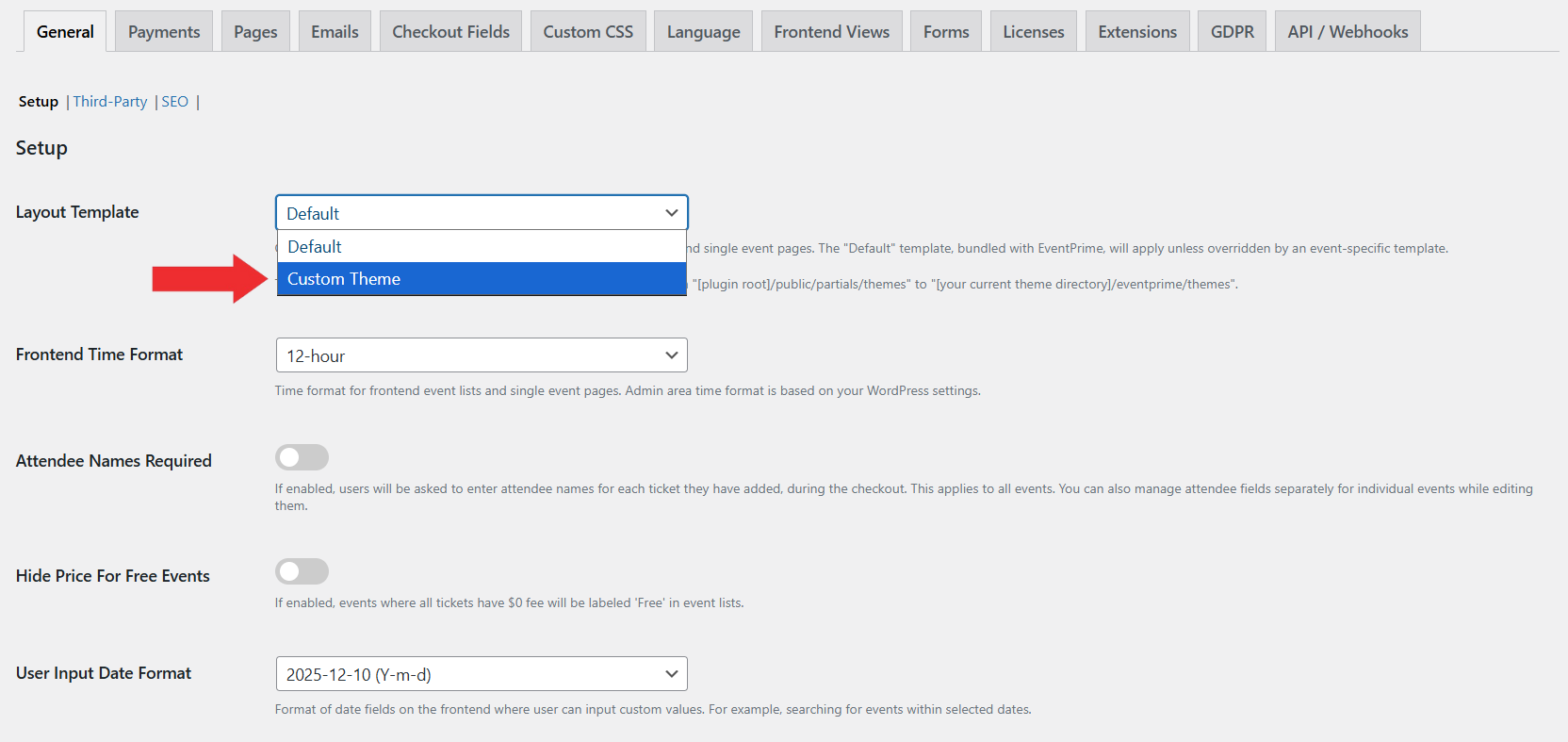
- In the General tab, locate the Layout Template dropdown.
- Your renamed folder (e.g., custom-theme) will appear in the list.
- Select it and Save the settings.
4. Edit Event Template for an Individual Event
You can also apply a custom layout to a specific Event instead of using the global template.
- Navigate to the EventPrime menu, select the All Events submenu, and click Edit for the Event you want to modify.
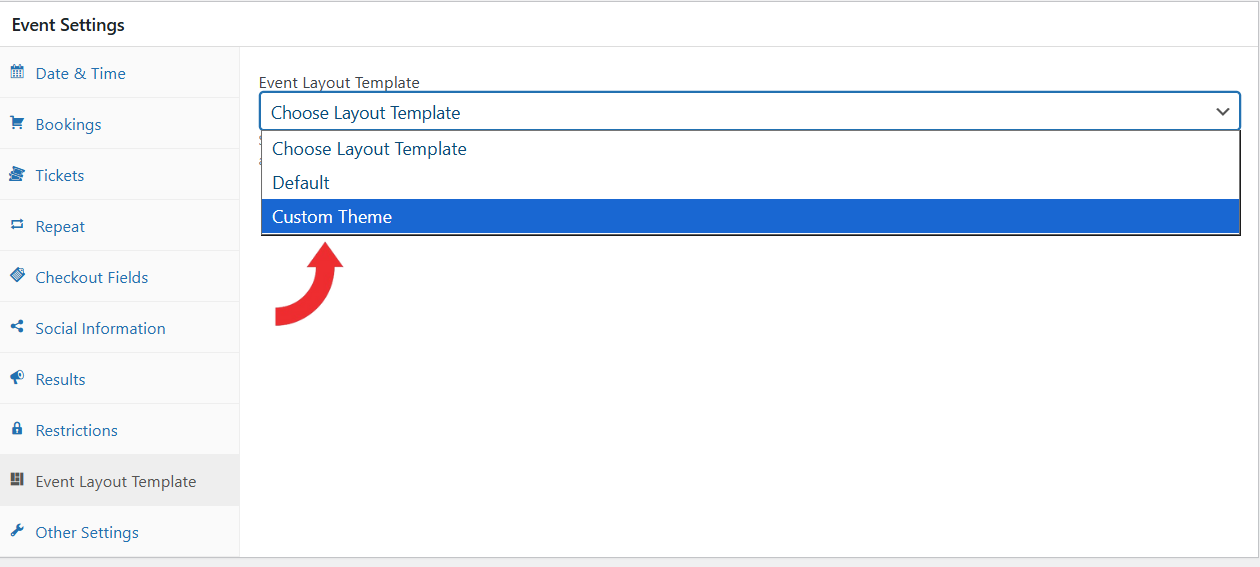
- On the Edit Event page, Go to the Event Settings metabox and select the Event Layout Template tab.
- From the Event Layout Template dropdown, choose the layout you want to apply to that particular Event.
This allows each Event to use a different design when required, using either the global template or a custom template created in your theme
Conclusion
Overriding the default template offers precise control over how Events, Bookings, and Tickets are rendered on the site. This approach guarantees that your customizations remain stable and reliable during updates, providing long-term consistency. By working with template files directly, you gain full creative control and precision in tailoring your setup. A good understanding of theme structure and template handling unlocks the ability to maximize EventPrime Settings, ensuring your customization is both robust and future‑proof.
Questions, Support & Custom Solutions
- Need more details or can't find what you're looking for? Let us know how we can help! Contact our support team here.
- Looking for a tailor-made solution to meet your specific needs? Our dedicated customization team is here to help! Use this link to share your requirements with us, and we'll collaborate with you to bring your vision to life.