
Overview
The EventPrime Group Booking extension allows Event Organizers to enable group or team-based Event Bookings under a single group leader. This is ideal for schools, companies, clubs, sports teams, and organizations where multiple attendees register together.
With Group Booking enabled, a dedicated Group Leader section appears during checkout, allowing Organizers to collect group identity details while continuing to use the existing attendee Booking flow for individual members.
Prerequisite
Along with the EventPrime plugin, the EventPrime Group Booking extension must be installed and activated to use this feature. The extension can be accessed from the following link: Get Your EventPrime Group Booking Extension
How to Enable Group Booking for Events
Step 1: Enable Bookings by Selecting Turn bookings on Option
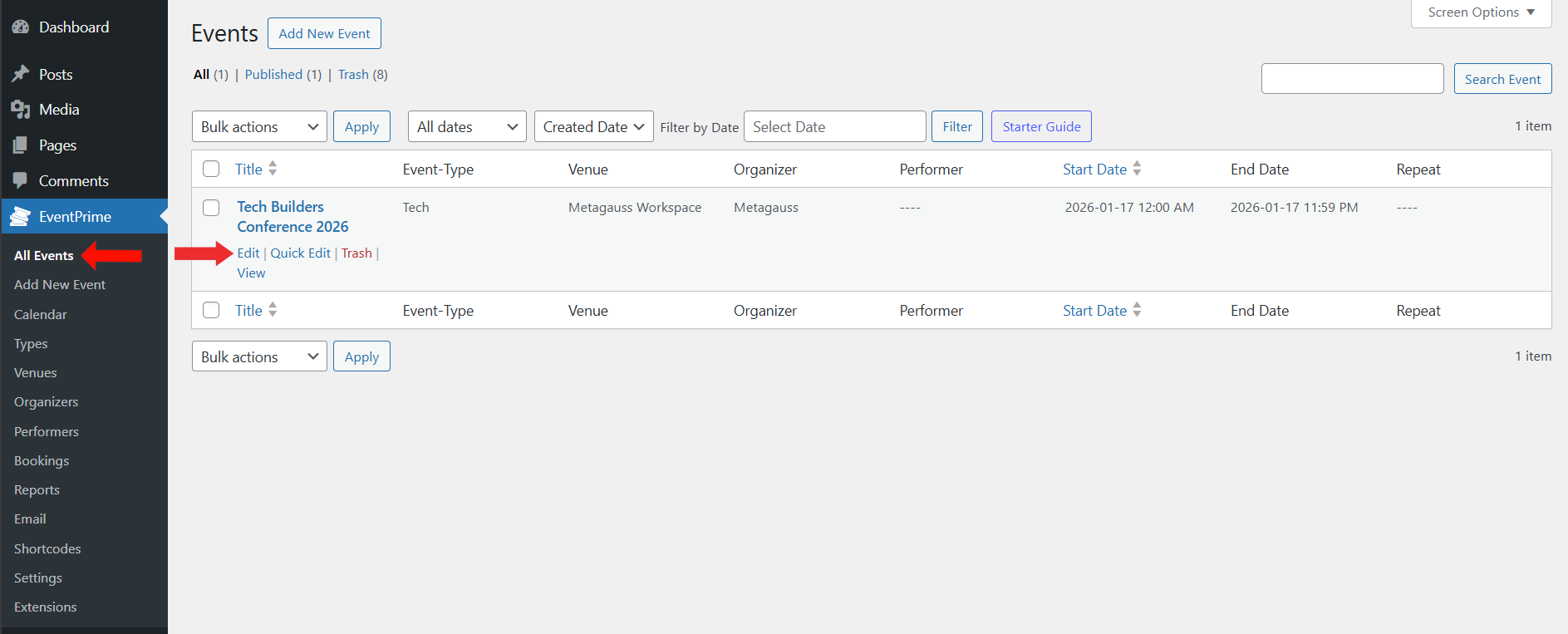
- Navigate to EventPrime menu and select All Events submenu.
- From the list of Events, click Edit button for the Event where you want to enable Group Booking.
Step 2: Enable Group Booking Option for Event
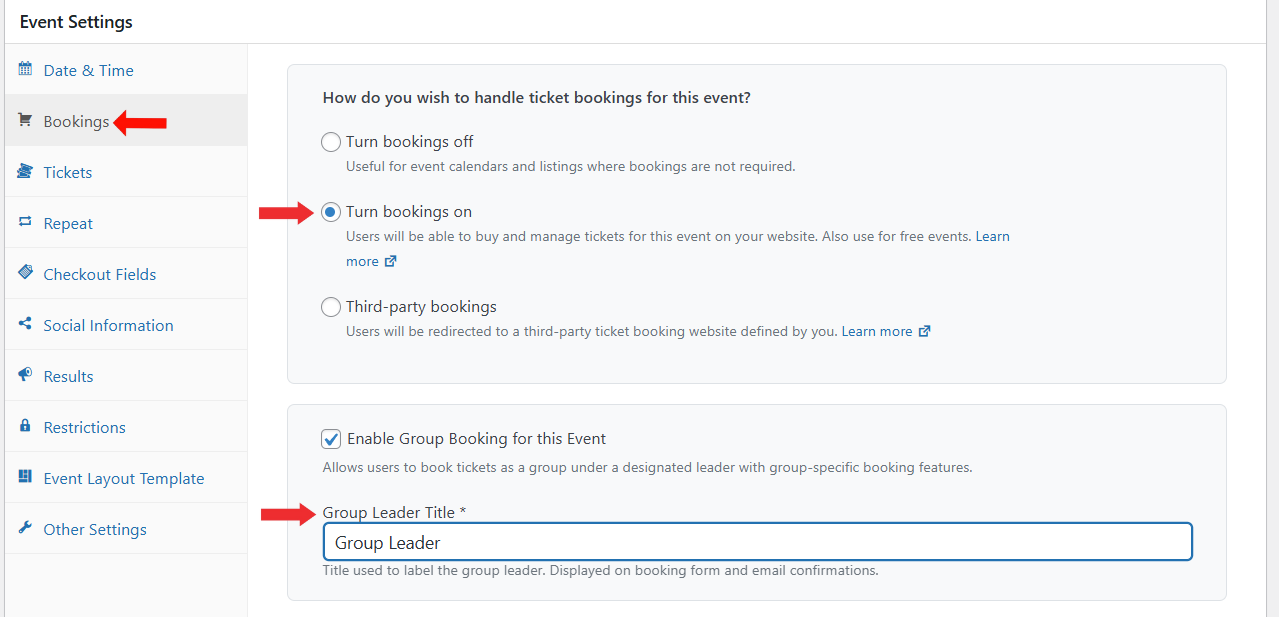
- On the Edit Event page, locate the Event Settings metabox.
- Open the Bookings tab.
- Enable Bookings by selecting Turn bookings on option.
- Enable Group Booking for this Event option by checking the checkbox.
- Enter a Group Leader Title such as Group Leader, Group Manager, Coach, or any title suitable for your Event.
Step 3: Configure Group Leader Checkout Fields
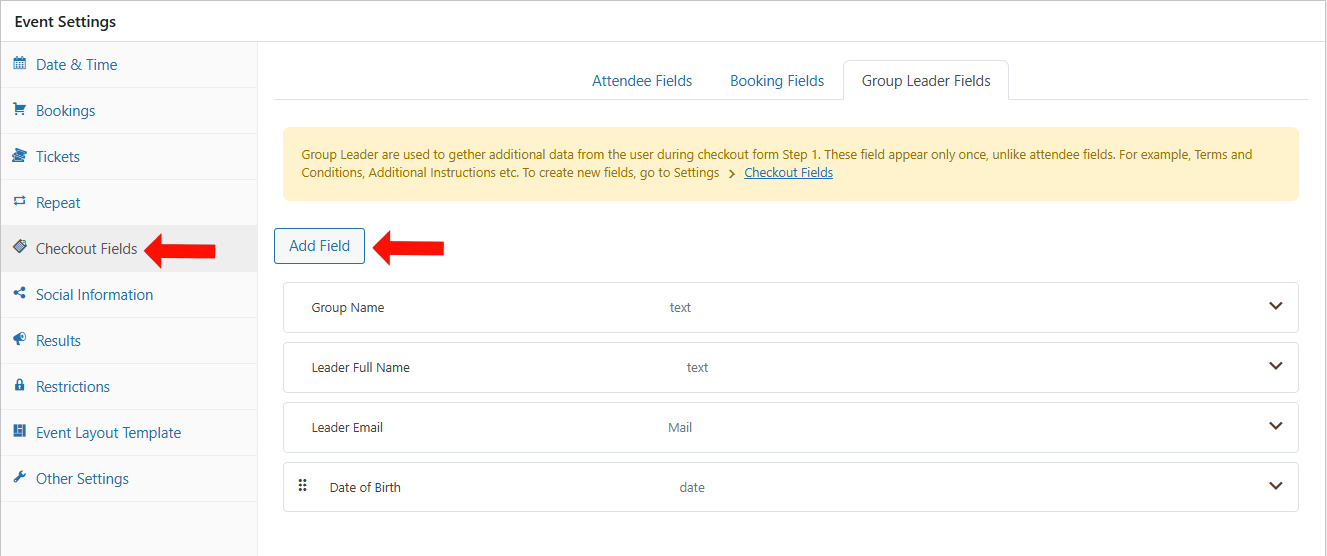
- In the Event Settings metabox, navigate to the Checkout Fields tab.
- Open the Group Leader Fields section.
- Click Add Field to configure the fields you want to collect from the group leader.
- If you are unfamiliar with creating checkout fields, refer to this guide:
https://theeventprime.com/how-to-collect-attendee-data-through-event-checkout-fields-in-wordpress/
Step 4: Add Group Leader Fields
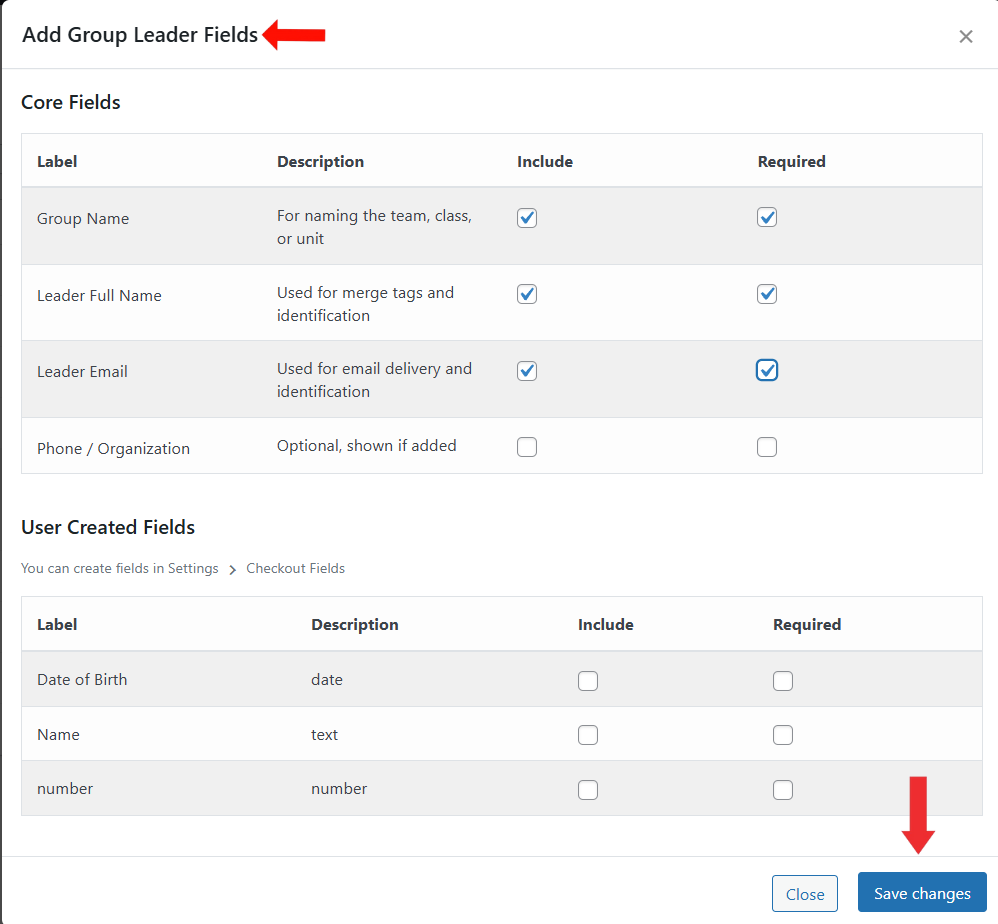
- On the Add Group Leader Fields screen, select the fields you want to include.
- You can choose from:
- Core Fields such as Group Name, Leader Full Name, Leader Email, and Phone or Organization.
- User-created fields configured earlier in checkout settings
- Mark fields as Required where necessary.
- Click Save Changes to apply the selected fields.
These fields will now appear in the Group Leader section during checkout.
Frontend View
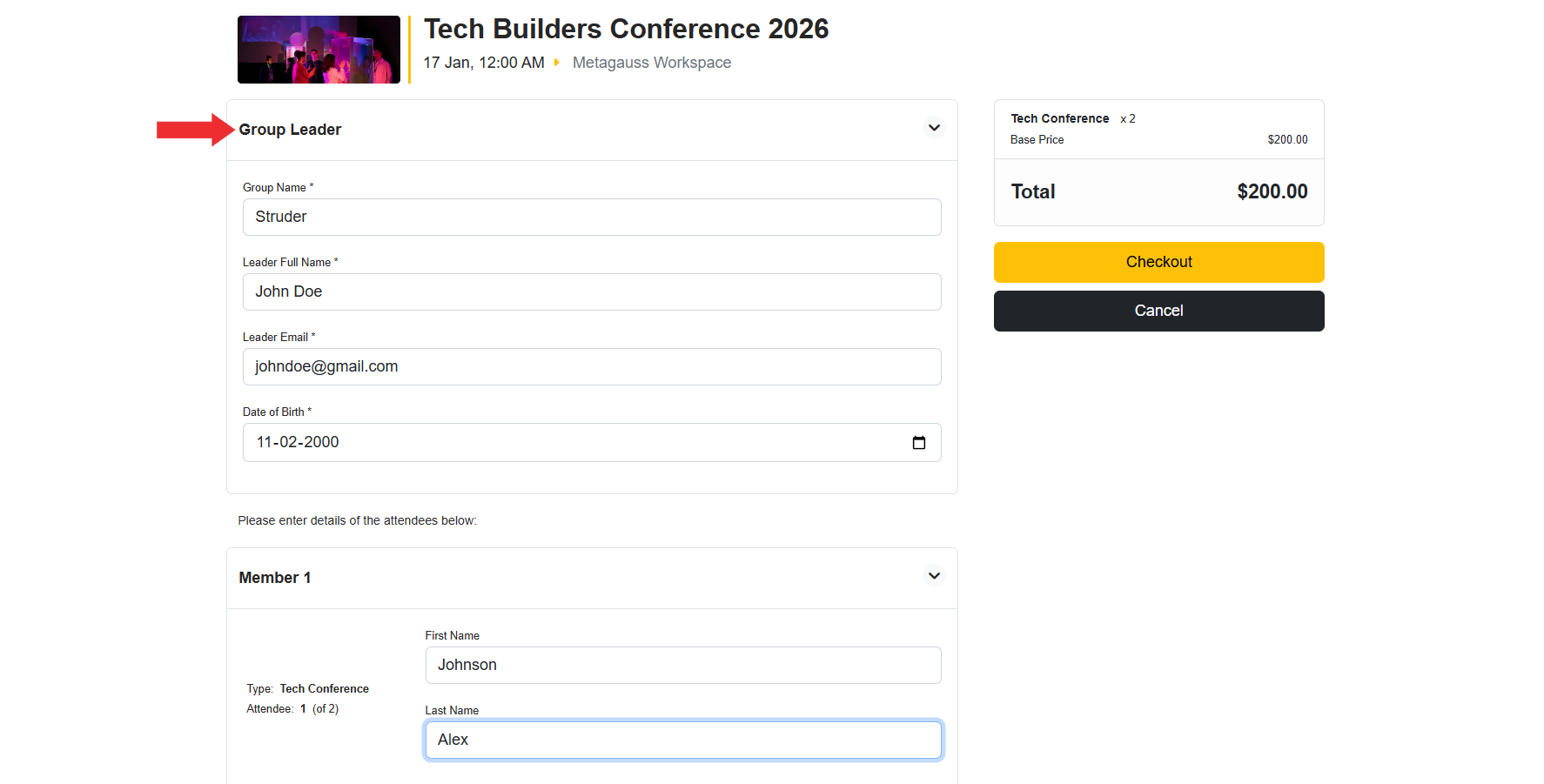
When a user books Tickets for an Event with Group Booking enabled, the checkout flow is adjusted as follows:
- A separate Group Leader section appears at the top of the checkout form.
- The group leader enters group-level information such as group name and contact details.
- Below the Group Leader section, attendee blocks are displayed as Member 1, Member 2, and so on.
- The number of member blocks equals the number of Tickets booked.
- Group leader details are collected once and are not repeated for each Booking.
This ensures a clean and structured Booking experience for both the group leader and individual members.
Conclusion
The EventPrime Group Booking extension makes it easy to manage collective registrations while preserving EventPrime’s existing Booking workflow. By enabling group booking per Event, defining a group leader role, and configuring group-specific checkout fields, Organizers can efficiently handle team registrations, improve data clarity, and streamline Event check-ins and reporting.
This extension is essential for Events that frequently receive Bookings from organizations, schools, or teams attending together.
Questions, Support & Custom Solutions
- Need more details or can't find what you're looking for? Let us know how we can help! Contact our support team here.
- Looking for a tailor-made solution to meet your specific needs? Our dedicated customization team is here to help! Use this link to share your requirements with us, and we'll collaborate with you to bring your vision to life.