
Overview
PayPal payments require a Client ID and Secret Key to securely connect your website or plugin with PayPal’s payment system. These credentials are generated inside the PayPal Developer Dashboard and are mandatory for processing both test and live transactions.
This guide explains how to create a PayPal app and obtain the Client ID and Secret Key needed for WordPress plugins, SDKs, or custom integrations.
How to Get Client ID and Secret Key
Step1: Log in to PayPal Developer and Create an App
- Go to https://developer.paypal.com
- Sign in using your PayPal business account.
- Personal accounts cannot generate API credentials for Production environment.
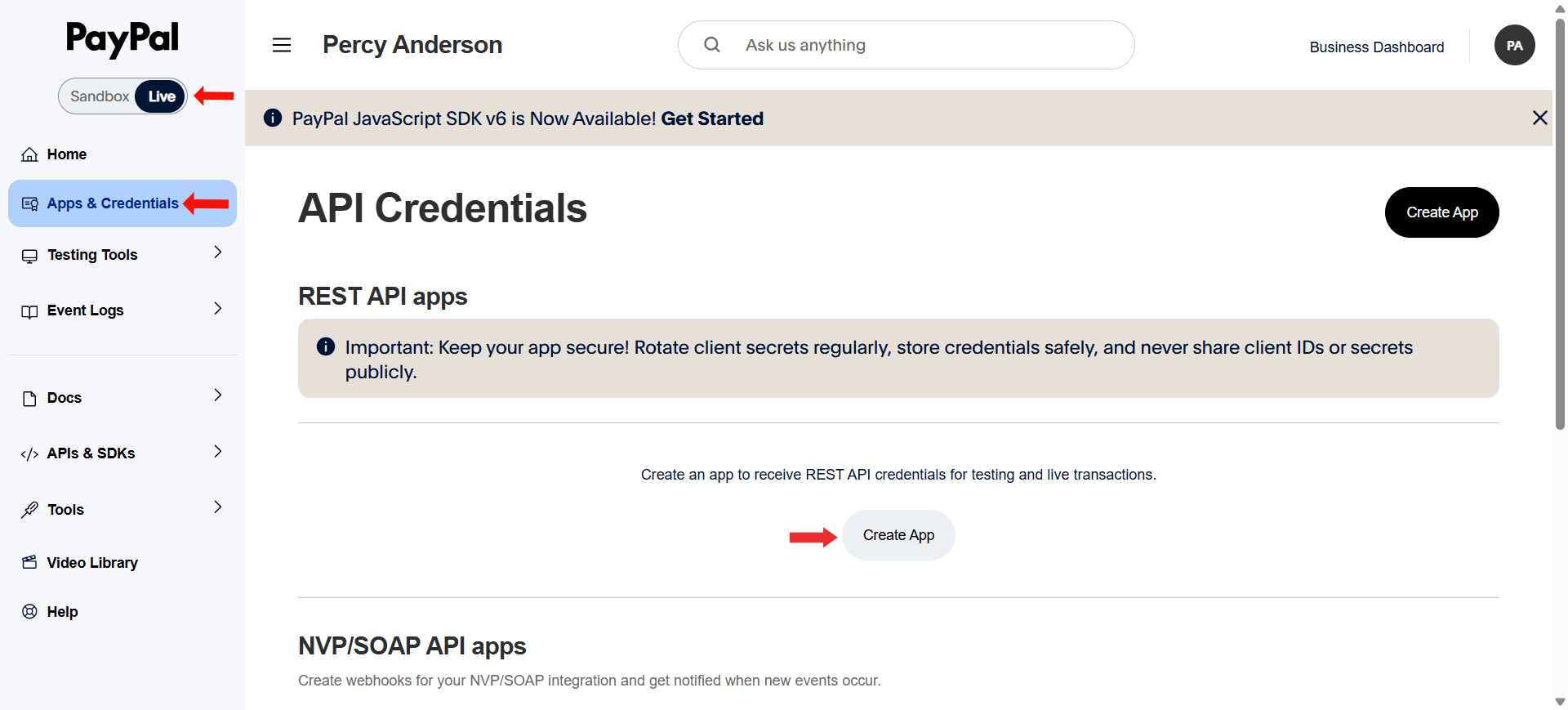
- From the left-hand menu, select Apps & Credentials.
- Use the toggle at the top to choose:
- Sandbox for testing.
- Live for real payments.
- Click Create App button.
Step2: Create the App
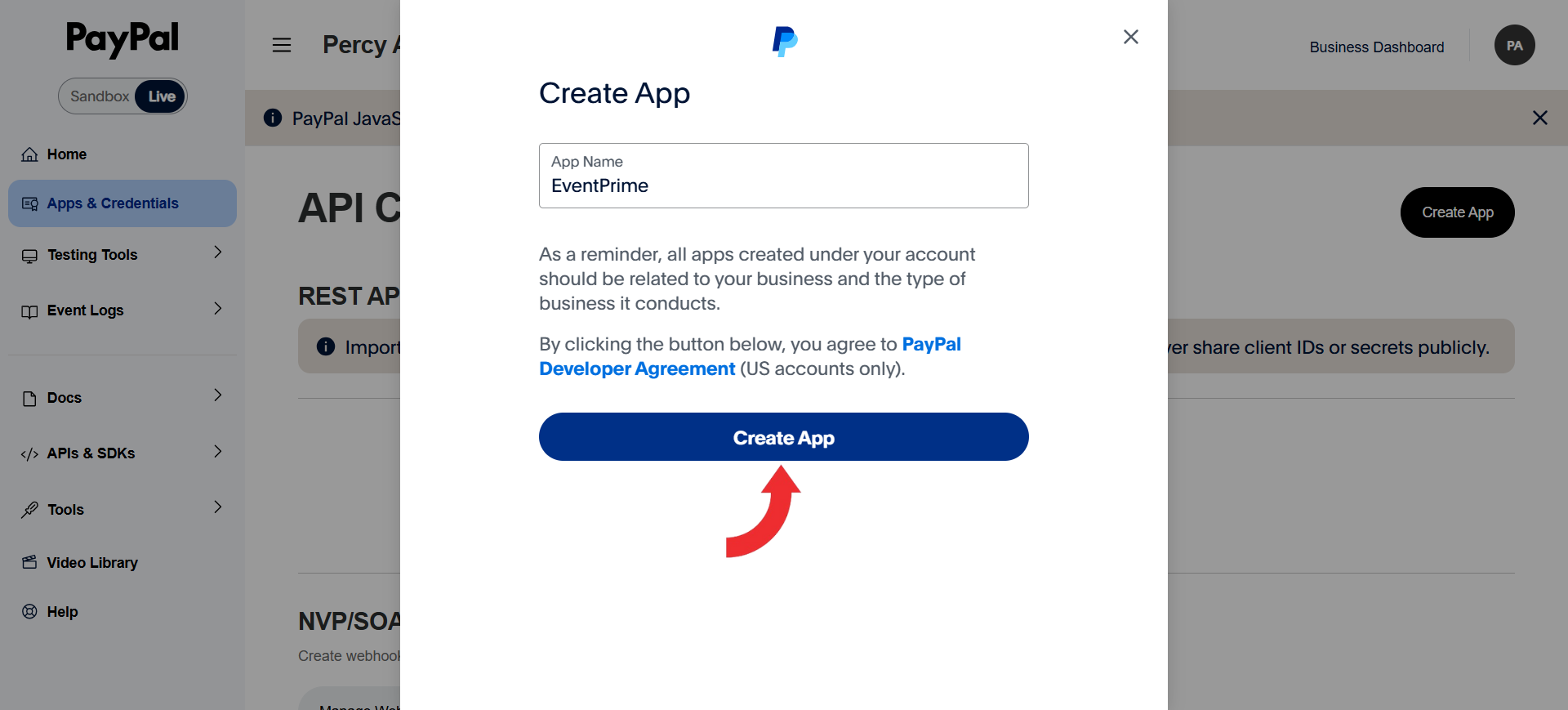
- Enter an app name (for example, Payments or Events Integration).
- Click Create App to proceed.
Step3: Access API Credentials
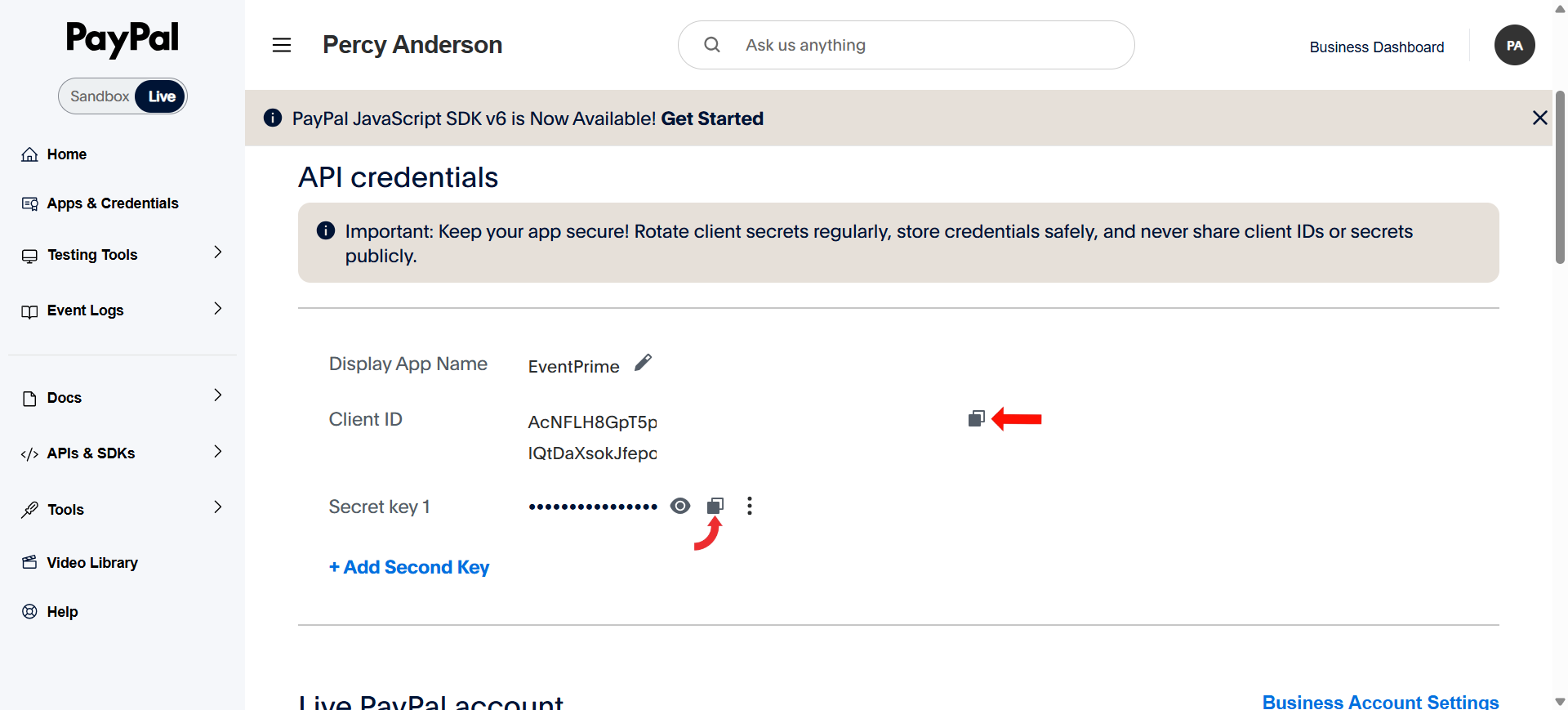
- After the app is created, you will be taken to the API Credentials screen.
- Copy the Client ID using the copy icon.
- Copy the Secret Key using the copy icon.
These credentials are required to connect PayPal with WordPress Events payment functionality.
Conclusion
The PayPal Client ID and Secret Key are essential for enabling secure payment processing. By creating a PayPal app through the Developer Dashboard, you gain the credentials required for both testing and live transactions. Always ensure you are using the correct environment and keep your Secret Key protected to avoid security risks.
Questions, Support & Custom Solutions
- Need more details or can't find what you're looking for? Let us know how we can help! Contact our support team here.
- Looking for a tailor-made solution to meet your specific needs? Our dedicated customization team is here to help! Use this link to share your requirements with us, and we'll collaborate with you to bring your vision to life.