
Overview
Managing the schedules in EventPrime helps ensure that Events are clearly defined for attendees and easy to manage for Organizers. You can set both the start and end date, as well as the time for each Event. Additionally, the plugin allows optional control over the visibility of these settings on the frontend.
Steps to Set Start and End Dates in EventPrime
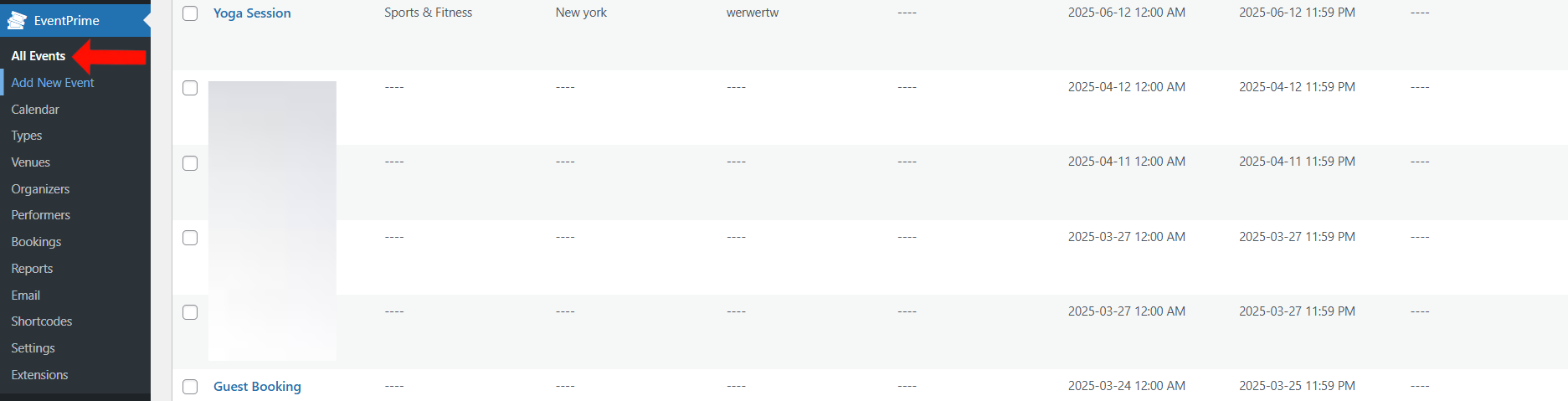
- Go to the EventPrime menu in your WordPress dashboard and click on the All Events submenu.
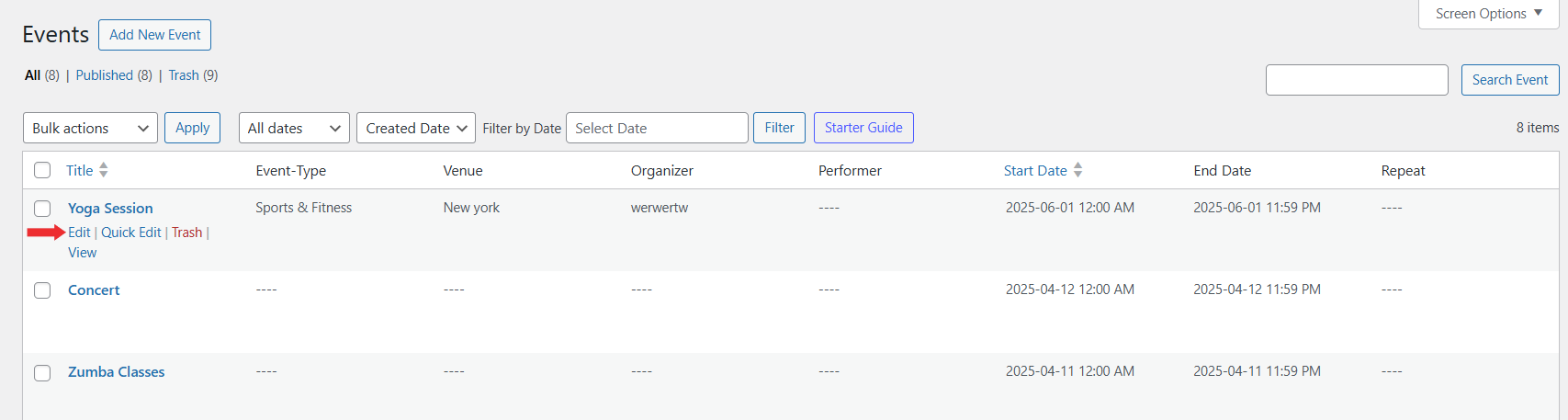
2. In the Events list, click Edit to set the date and time for your desired Event
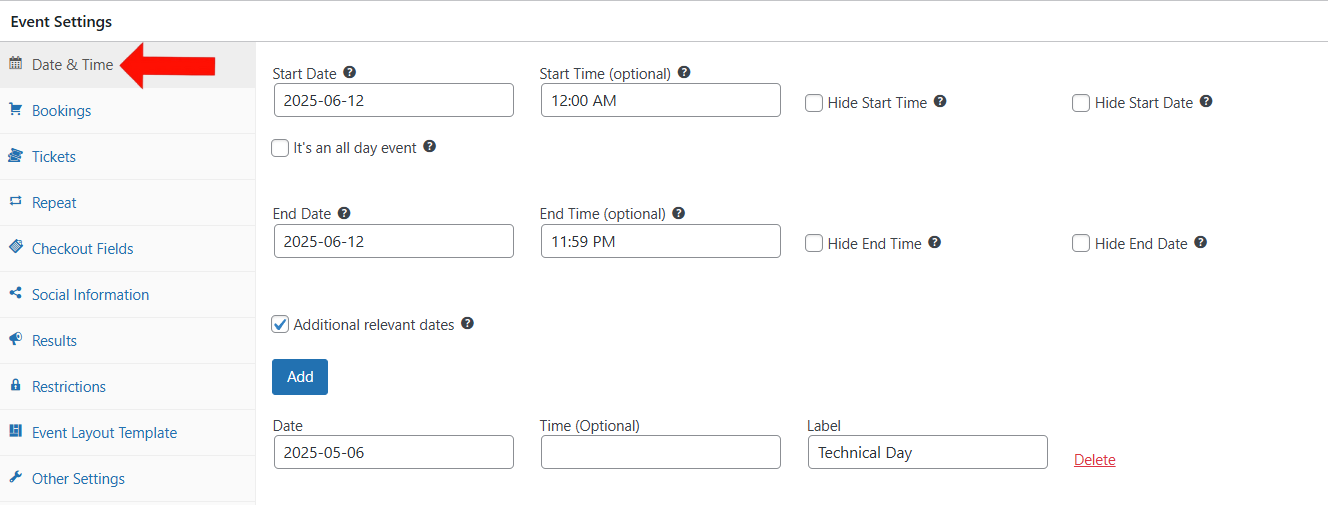
3. On the Edit Event page, go to Event Settings and click on the Date & Time tab.
- Use the fields inside the Date & Time tab to configure the Start Date and Start Time as well as the End Date and End Time..
- You can also choose to hide these from users by enabling the Hide Start Date and Start Time and Hide End Date and End Time checkboxes, depending on whether you want this information publicly visible.
Additional Dates: If you want to add multiple important dates such as setup or rehearsal days, refer to the Additional Dates guide for details.
4. Update the Event to apply the changes.
Frontend View
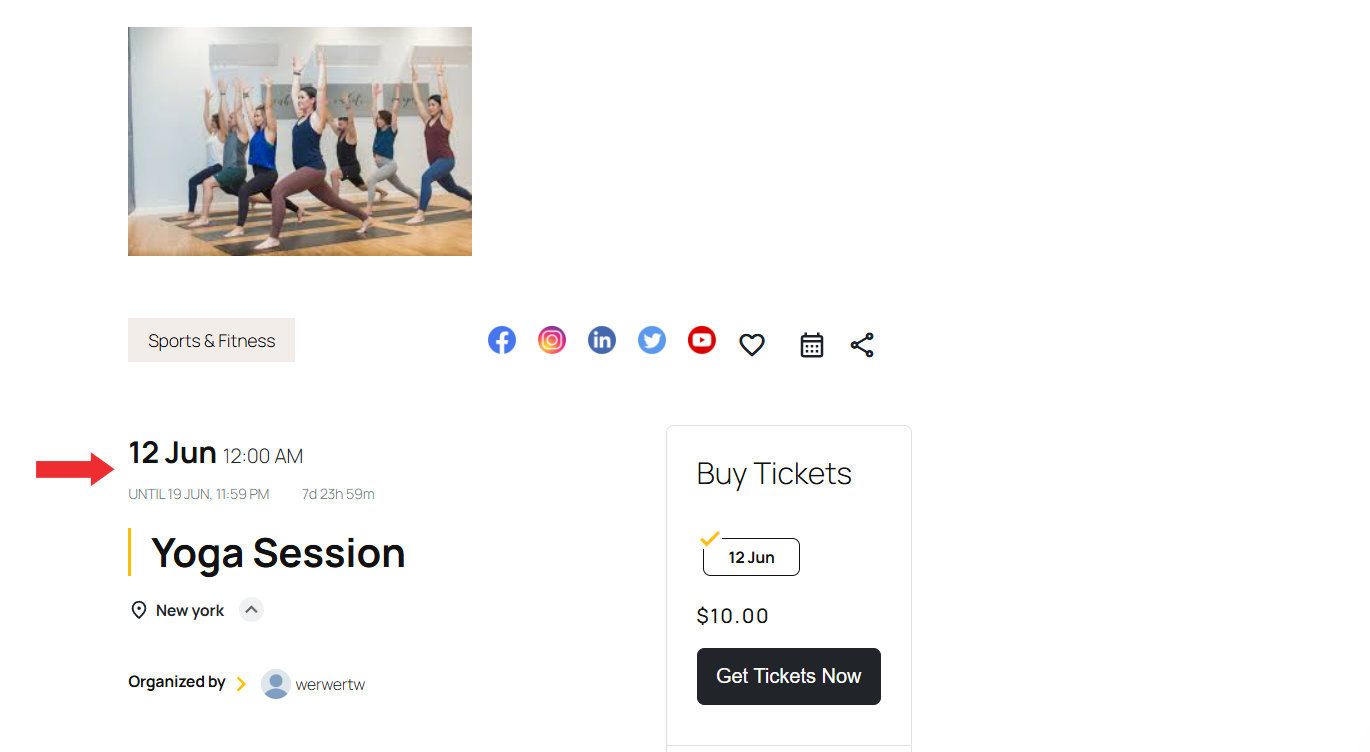
After updating the Event, the Start Date and Start Time, as well as End Date and End Time will be displayed on the Event page if the visibility options (to hide) are left unchecked. If either is hidden using the checkboxes, the corresponding information will not be displayed to attendees.
Conclusion
Setting start and end dates in EventPrime allows you to display accurate scheduling information for each Event. This ensures clear communication with attendees and smoother planning for Organizers.
Questions, Support & Custom Solutions
- Need more details or can't find what you're looking for? Let us know how we can help! Contact our support team here.
- Looking for a tailor-made solution to meet your specific needs? Our dedicated customization team is here to help! Use this link to share your requirements with us, and we'll collaborate with you to bring your vision to life.
We are using EventPrime plugin on our site. We have events in different timezones. How can I set it in the plugin? At the moment the ‘Add to calendar’ link will use one timezone only (aset in WP settings). I’d appreciate yourb help.
I want to display the first and last days of an event on the event listings page. How is that accomplished?
Yes, this can be achieved using the Layout Template feature. By customizing the layout template, you can display the start and end date of the event on the event listings page.
Please refer to the following guide for steps to override the default template:
http://theeventprime.com/how-to-override-eventprime-default-template/
Let us know if you need any assistance with the setup.
Hi, I am currently starting with Eventprime, I am not able to get it installed probably: continu I see the note: this event has ended, view results. While it is still in future, and i cannot proceed to checkout
Thank you for reaching out and for sharing the details.
Regarding the message “This event has ended, view results”, please note that this is controlled from the event’s Results settings. To disable this message, please follow the steps below:
For the issue where you are unable to proceed to checkout, could you please share the event URL with us? This will help us review the setup and assist you more accurately.
We look forward to your response.
Hi, I have the same problem as Peter Lemonjello: general wordpress time format is set to H:i but I keep seeing 12-hour format in the admin area of EventPrime
Thanks for reaching out to us.
At present, there is no functionality available in the admin area to change this time format to 24-hour notation, and it remains fixed to 12-hour (AM/PM).
However, you can change the time format to 24-hour notation on the frontend by going to:
EventPrime → Settings → General → Setup → Frontend Time Format
If you have any further questions, please don’t hesitate to reach out to us.
Hola buenos dias, encontramos un error. Al cargar un evento que comienza el 18 de noviembre a las 23 hs y finaliza el 19 a las 5, el evento en la vista calendario se ve tanto en el 18 como en el día 19. Pero queremos q solo se vea el 18.
Por otro lado hay forma de poner fecha de inicio pero no de finalización.
Gracias
Thank you for contacting us.
For events that run past midnight, EventPrime displays them on both days in the calendar view because the event duration extends into the next date. When the end time is not set, the system will automatically apply a default value of 11:59 PM.
If the issue continues, please reach out to our official support team here: http://theeventprime.com/support/ and they’ll be happy to assist you further.
On the event page for a recurring event, a button for upcoming dates is displayed next to the event time. Is it possible to hide this button?
Thank you !
Thanks for reaching out to us.
Yes, you can hide the button using custom CSS. To do this, please go to EventPrime → Settings → Custom CSS tab, then add the following code in the text area and save changes:
.emagic .ep-recurring-modal-icon {
display: none;
}
If you have any further questions, please don’t hesitate to reach out to us.
Maybe I’m missing something, but there appears to be a bug with setting times for events that spread from one day to another (say a start date of 29-Aug-2025 at 22:00, and finishes five hours later on 30-Aug-2025 at 03:00). The only option I get for the end time is 22:00 to 00:00 whether I set it for 29-Aug-2025 or 30-Aug-2025.
Thank you for reaching out; this issue has been fixed.
How does the code get fixed? General settings are set up the time using a dfifferent code than what EventPrime has etched in (12:i A). It should be g:i A. Not 12.
This issue has been fixed. Thank you.
For a multi-day event, or an event that starts in the evening and ends early the next morning (e.g. an evening concert that starts at 9PM ends at 2AM when the bar closes), I am unable to set the end time properly. The only End Times available in the drop down are are between the Start Time and 11:59.
Thank you for bringing this issue to our attention. We appreciate your feedback, and we want to assure you that we are committed to resolving this issue in our upcoming releases.
Your input is valuable to us, and we look forward to delivering an improved experience in the future.
the event time field is NOT set as required on the front-end submission form. Therefore users can add a event without a start time, and it will not auto show..
Thank you for reaching out!
This is a known defect and the fix is is scheduled to be deployed in one of the upcoming releases.
If you require further assistance or have any concerns, please let us know.
We are here to help!
Hello, users can submit events without dates or times set, but that’s information that we need. Is there a way to make the date and time fields required for the front end event submission form?
Thank you for bringing this to our attention.
We’ve confirmed that in the current workflow, the event date field is set as required on the front-end submission form. Users should not be able to submit an event without a date. We have fixed the issue please update latest version of EventPrime.
If you have any further questions, please don’t hesitate to reach out to us.