
Overview
Event Bookings in WordPress allow attendees to reserve their spots for upcoming Events directly from your site. This feature helps event Organizers manage attendance and streamline the registration process—all within the WordPress dashboard.
Steps to Enable Event Bookings
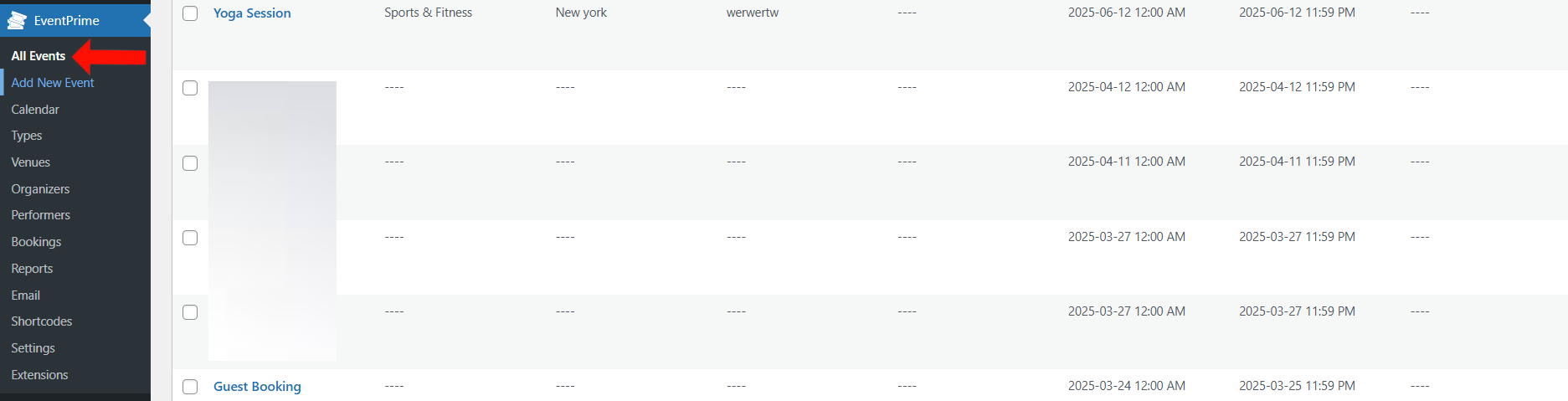
- Navigate to the EventPrime menu and select the All Events submenu.
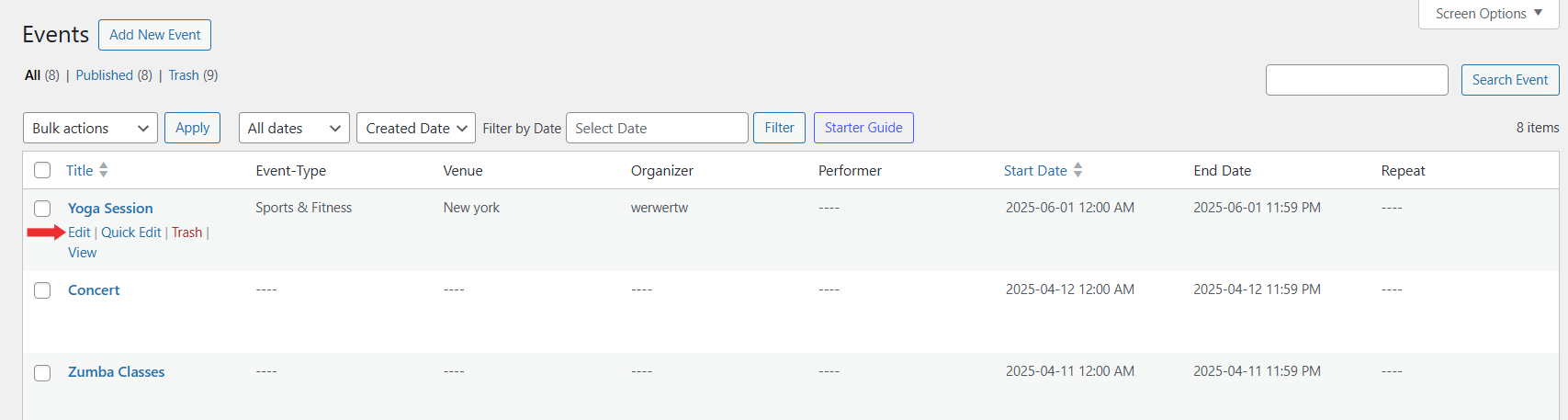
2. In the list of Events, click Edit for the Event you want to enable Bookings for.
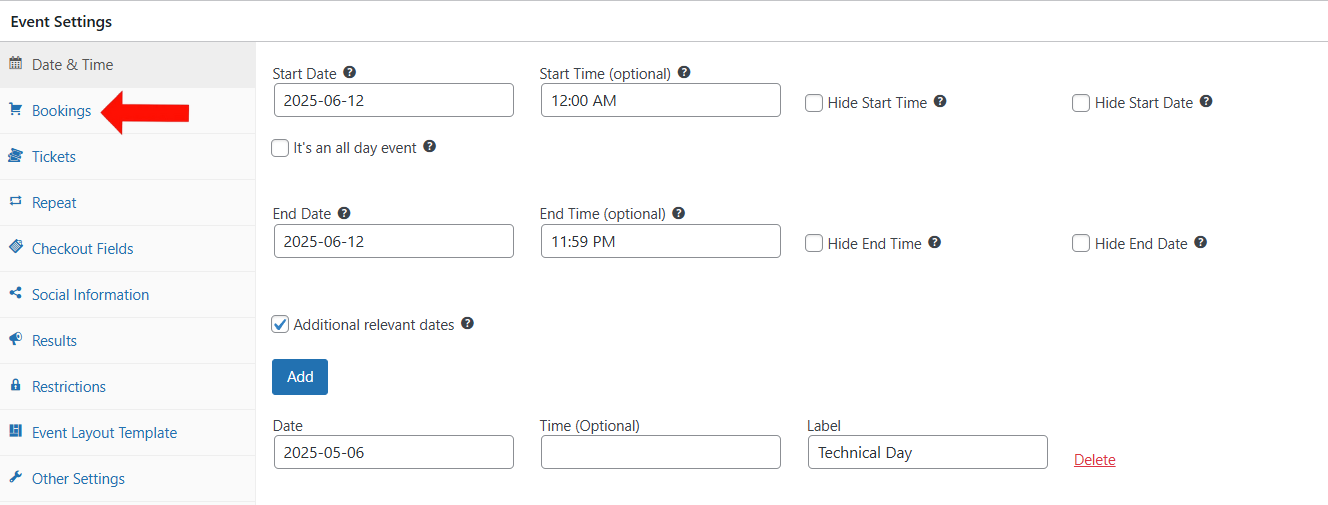
3. On the Edit Event page, go to Event Settings and select the Bookings tab.
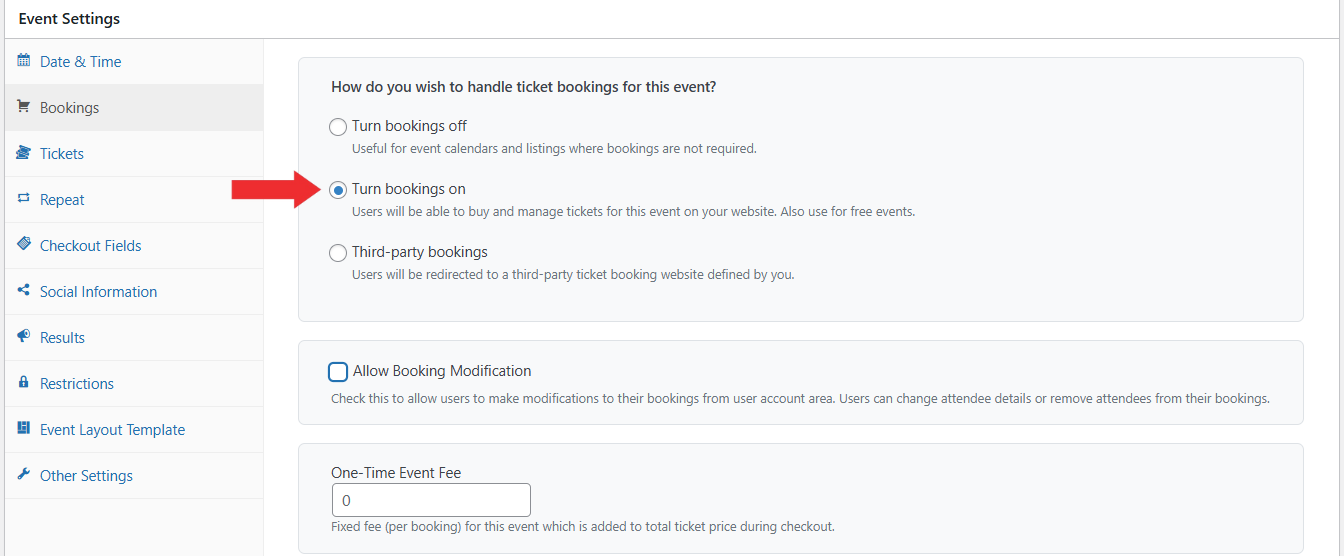
4.Click on Turn bookings on to activate Booking for the Event.
Click the Update button to apply the changes.
Congratulations! You have successfully enabled Bookings for your selected Event.
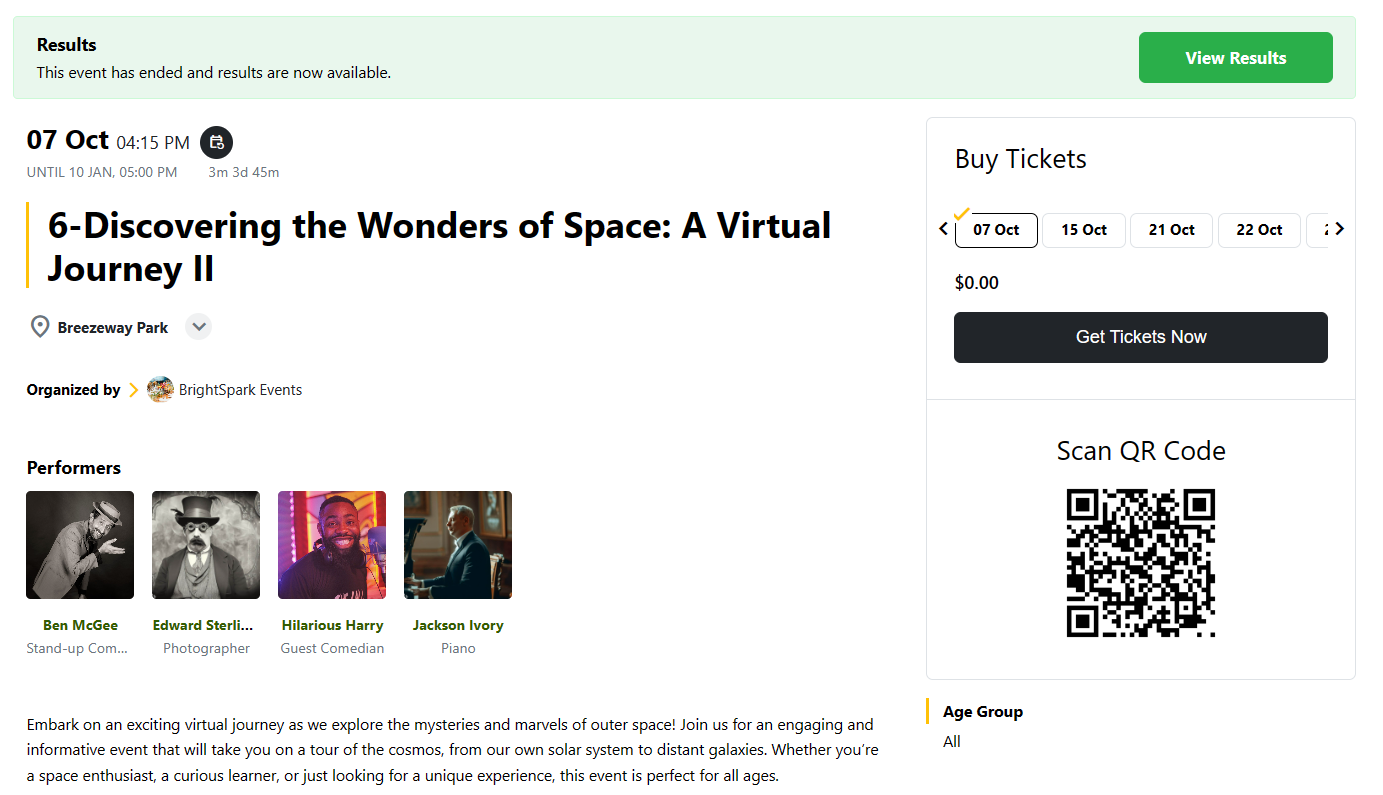
Frontend View of Enabled Bookings
Once enabled, the Booking form will appear on the Event page. Users can register and reserve their spots directly from the frontend.
Conclusion
Enabling Bookings in EventPrime allows users to register for Events while giving Organizers full control over attendee management from the dashboard.
Questions, Support & Custom Solutions
- Need more details or can't find what you're looking for? Let us know how we can help! Contact our support team here.
- Looking for a tailor-made solution to meet your specific needs? Our dedicated customization team is here to help! Use this link to share your requirements with us, and we'll collaborate with you to bring your vision to life.
Why are users not receiving emails for registration and guess booking.
We have tested this at our end, and it’s working as expected at our end. Please temporarily deactivate all other plugins and check.
If the issue continues, please reach out to our official support team here: http://theeventprime.com/support/ and they’ll be happy to assist you further.
Is there a way to list the available seats and associated price? Is there a way to provide a graphic of the floor plan with associated seats? Can a single individual book multiple seats?
Thanks for reaching out to us.
Yes, this is possible using our Live Seating extension. With Live Seating, you can create multiple seating areas and assign different ticket types with different prices. Your users will be able to view the seating layout, select their preferred seats, and book multiple seats as per your event requirements.
For more information please follow this link: http://theeventprime.com/all-extensions/live-seating/
http://theeventprime.com/add-live-seating-option-wordpress/
If you have any further questions, please don’t hesitate to reach out to us.