
Overview
Adding an Event Image and Gallery makes your Event stand out and helps attendees quickly recognize the Event visually. It gives visitors a clear idea of what the Event is about and can make your Event listing more attractive and engaging.
Steps to Add Event Image and Gallery to an Event
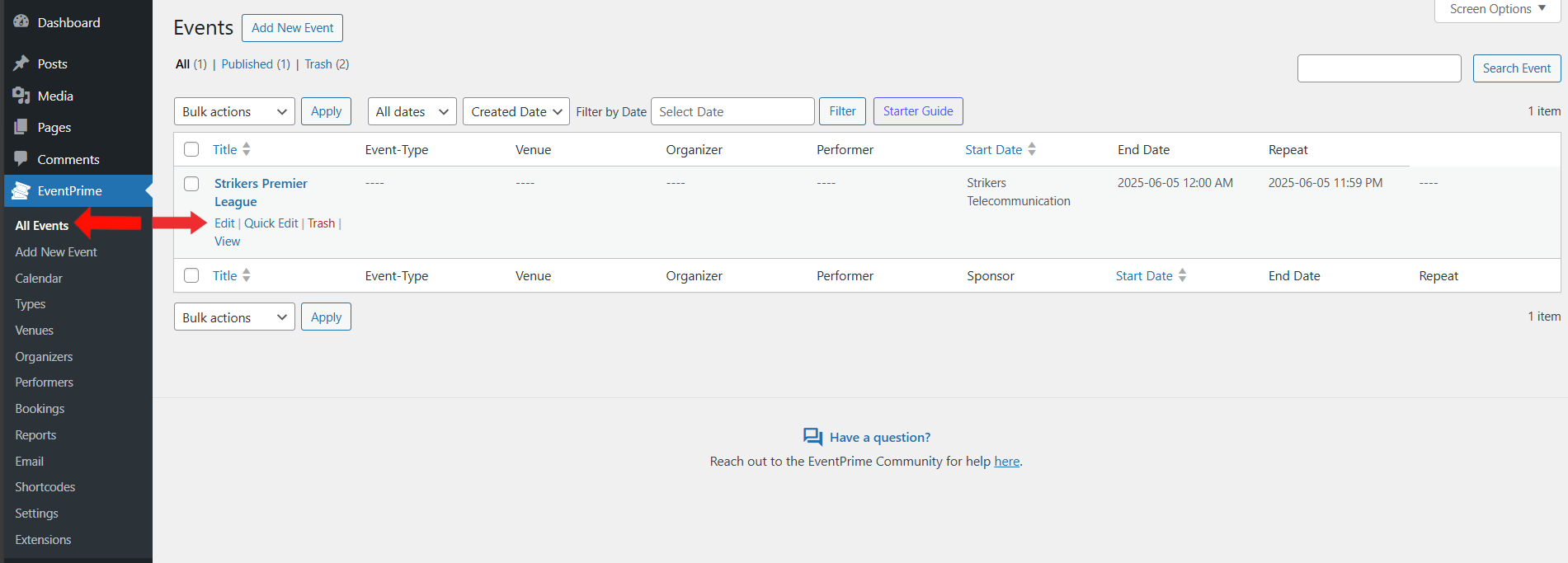
1. Navigate to the EventPrime menu and select the All Events submenu. In the list of Events, click the Edit button for the Event where you want to add an Event Image and Gallery.
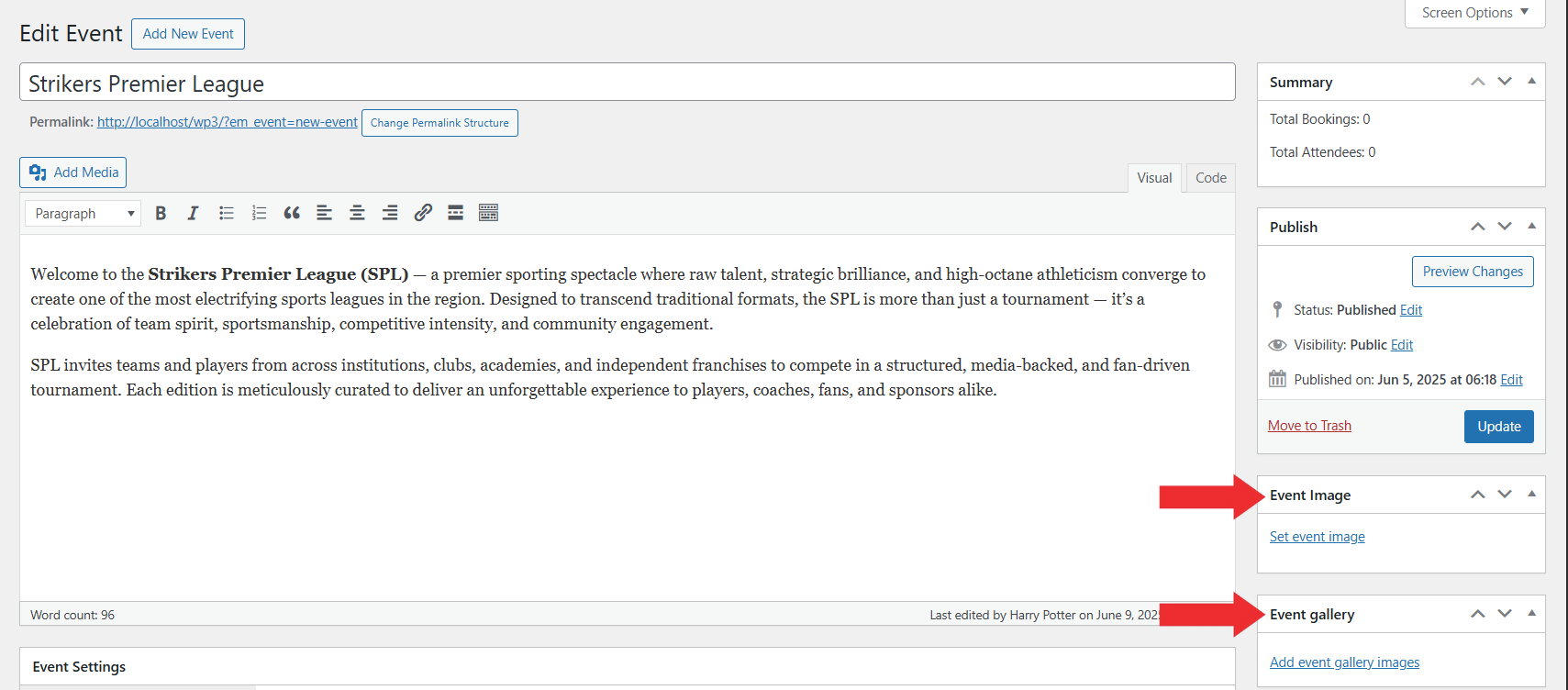
2. On the Edit Event page, locate the metabox on the right-hand side named Event Image and Event Gallery. Click on the Set event image button to upload a single Event Image, and click on Add event gallery image button to upload multiple image as an Gallery for an Event. Once images are upoaded successfully click Update button to apply this changes.
Frontend View
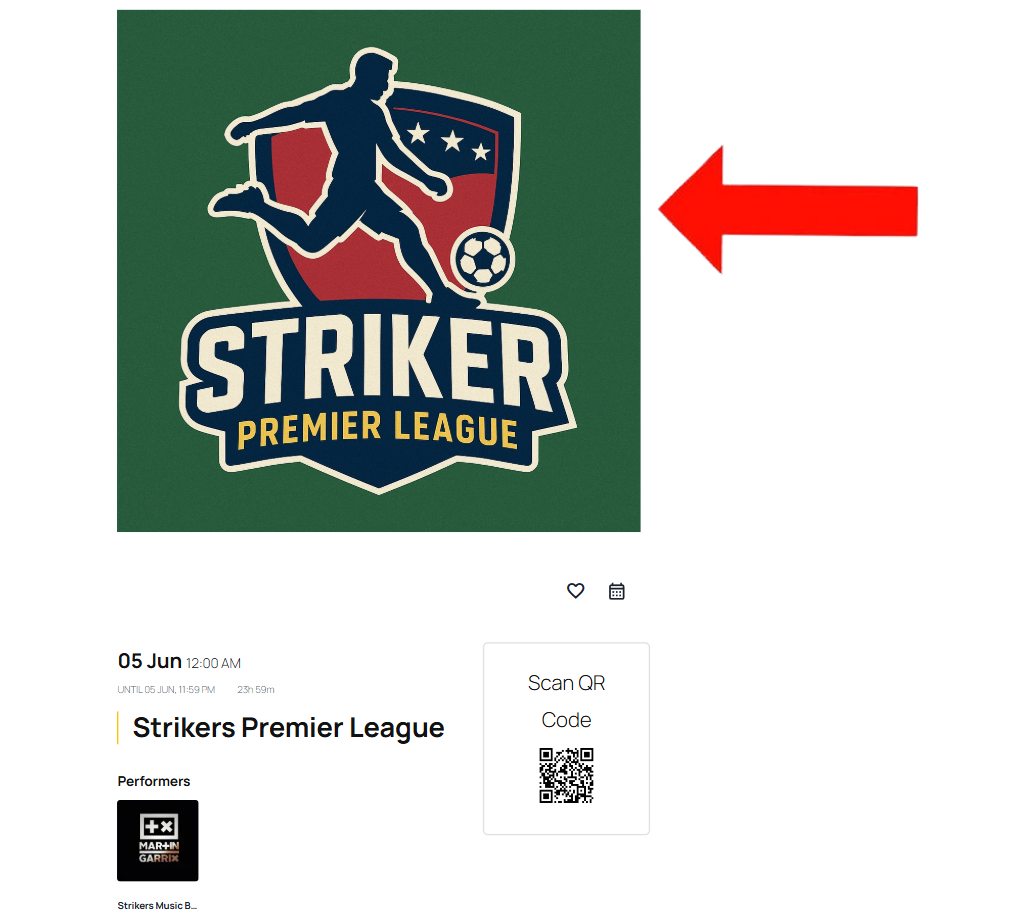
The Event Image will be displayed on the Event Details page, giving attendees a clear visual of the Event. If you have added multiple images to the Event Gallery, users can view them in the Gallery section of the Event page, helping them get a better understanding for the Event..
Conclusion
Adding Event Image and Gallery makes your Event page more appealing and informative for attendees. It helps visitors get a quick visual idea of the Event, improving their overall experience and making your Event listings look complete and well-organized.
Questions, Support & Custom Solutions
- Need more details or can't find what you're looking for? Let us know how we can help! Contact our support team here.
- Looking for a tailor-made solution to meet your specific needs? Our dedicated customization team is here to help! Use this link to share your requirements with us, and we'll collaborate with you to bring your vision to life.
How can I hide the featured image on the individual event page? I want the gallery to be at the top but right now it duplicates the event image and looks weird.
You can customize the frontend layout of all EventPrime-generated pages using our newly introduced “Layout Template” option under “Settings > General”. To do this, please follow these steps:
Copy the “default” folder from [plugin root]/public/partials/themes to [your current theme directory]/eventprime/themes.
Rename it to “custom-ep-templates” (or the folder name of your choice).
To make changes to the single-event page, you need to edit the “event-tpl.php” file, and for event listing, the “events-tpl.php” file. The relevant sub-files for these are stored under the “event” and “events” folders respectively.
Once you have made the modifications, navigate to “Settings > General” and select “Custom-Ep-Templates” from the “Layout Template” dropdown.
Is it possible to display the picture always 100% width?
I tired with custom CSS, but couldn’t figure out how…
Yes, this is possible without using custom CSS.
Please follow these steps:
If you have any further questions, please don’t hesitate to reach out to us.
This is not possible, because the field to set width is in a px format, not a percentage. My “Featured Image” does not load no matter what I set it to. Please help.
Thanks for reaching out to us.
Could you please share the URL of the event where you are experiencing this issue? This will help us investigate the problem more effectively.
Looking forward to your reply.
how do i put a video instead of an image in the description? i tried and the video is not working (it works in the medias gallery in my wordpress
Thank you for reaching out. WordPress allows embedding videos in descriptions.
To troubleshoot, we recommend temporarily deactivating all other plugins and testing if the issue persists. If the video works after deactivating other plugins, one of them may be causing the conflict. You can reactivate them one by one to identify the cause.
If the issue remains unresolved, please let us know, and we will be happy to assist you further.
Hi there, when sharing a link to an individual event, the OG image is not showing as the event image. And there is no meta description pulled from the event summary. How can I resolve this? I use YOAST, but there is no archive available for event prime events.
Thanks for reaching out to us.
We are currently working on this and will include it in our upcoming releases.
If you have any further questions, please don’t hesitate to reach out to us.