
Overview
When there are no events to display, EventPrime shows a short message instead of an empty page. This happens between seasons, before your first event is published, or when a filtered view has nothing in it. From EventPrime 4.3.5.0 you can write that message yourself.
Requires: EventPrime 4.3.5.0 or later (free).
What Visitors See by Default
If you haven’t set anything, EventPrime shows:
Currently, there are no events planned. Please check back later.
A custom message lets you give visitors something useful to do next, for example:
- “Our 2027 season will be announced in January. Follow us on Instagram for updates.”
- “No workshops are scheduled right now. Email us to request a private session.”
- “Registration for next term opens on 1 March.”
Set Your Own Message
- Navigate to EventPrime menu and select Settings submenu.
- Open the Frontend Views tab, then the Event Listings sub-tab.
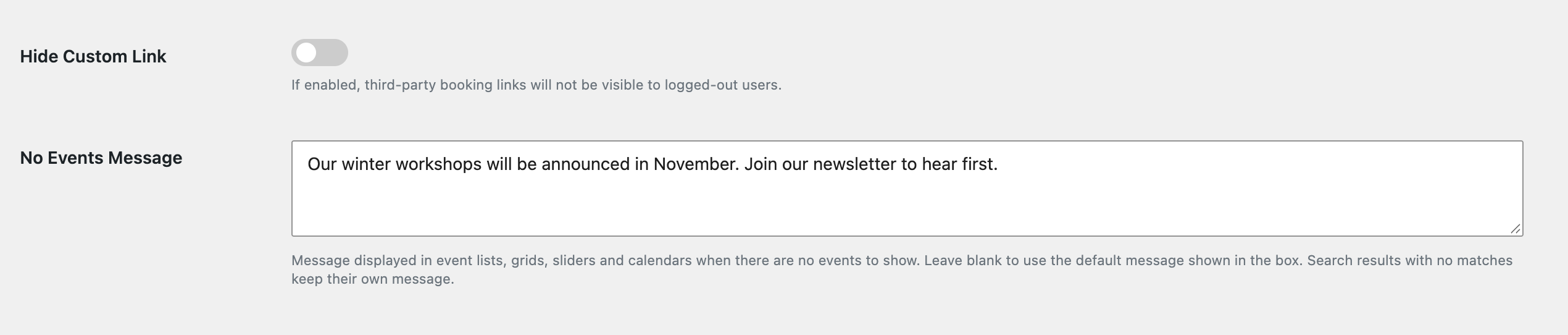
- Under General View Settings, find No Events Message.
- Type your message. The box shows the default text as a placeholder.
- Click Save.
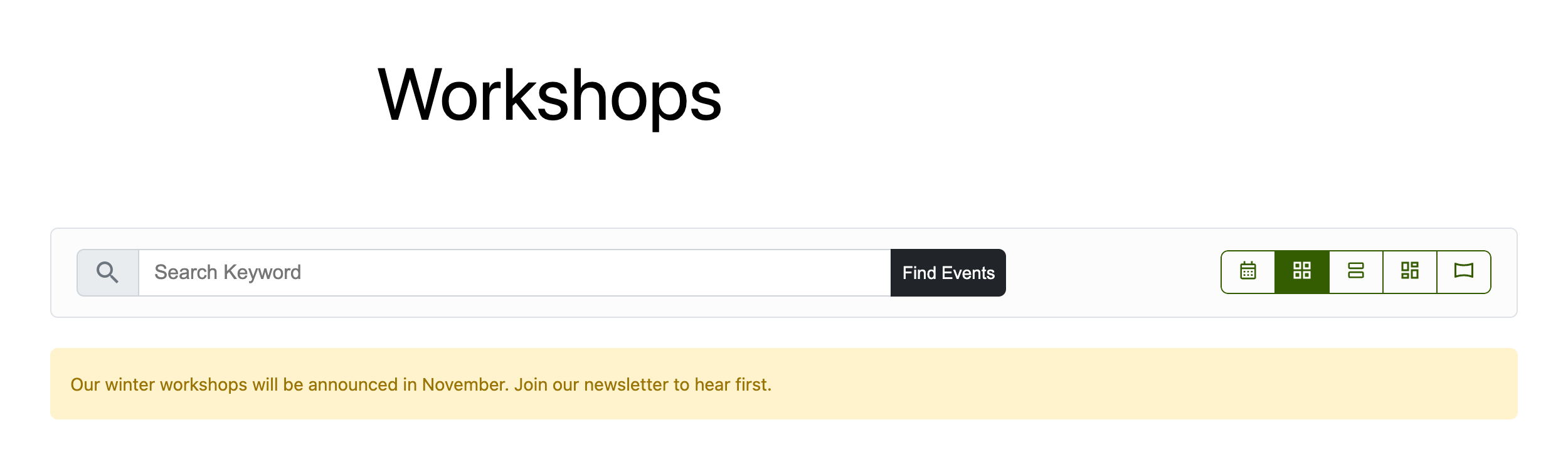
Your message now appears wherever an events list, grid, row or slider view has no events to show, including when visitors click “Load more” and nothing is left.
Go Back to the Default
Clear the No Events Message box and save. EventPrime shows its default message again.
Good to Know
- Plain text. The setting is saved as plain text, so HTML typed into the box is removed. To add a link, use the developer filter below.
- Search results are separate. When a visitor’s search finds nothing, EventPrime keeps its own “no results” message, so visitors can tell that their search matched nothing rather than that you have no events.
- Translations. The default message is translatable. Your custom message is shown exactly as you type it.
For Developers: Change the Message in Code
Use the eventprime_no_events_message filter. It receives the message (your setting, or the default) and a context string: events for the main view, events_load_more and events_view_load_more for “load more” requests. Basic HTML is allowed in the returned value.
add_filter( 'eventprime_no_events_message', function ( $message, $context ) {
	return 'Nothing scheduled yet. <a href="/contact/">Tell us what you would like to see</a>.';
}, 10, 2 );
In a custom template, call the helper so your view matches the setting and the filter:
$ep_functions = new Eventprime_Basic_Functions();
echo wp_kses_post( $ep_functions->ep_get_no_events_message( 'my_custom_view' ) );
Related
Thanks to @lpint on WordPress.org for suggesting this feature.
Questions, Support & Custom Solutions
- Need more details or can't find what you're looking for? Let us know how we can help! Contact our support team here.
- Looking for a tailor-made solution to meet your specific needs? Our dedicated customization team is here to help! Use this link to share your requirements with us, and we'll collaborate with you to bring your vision to life.