
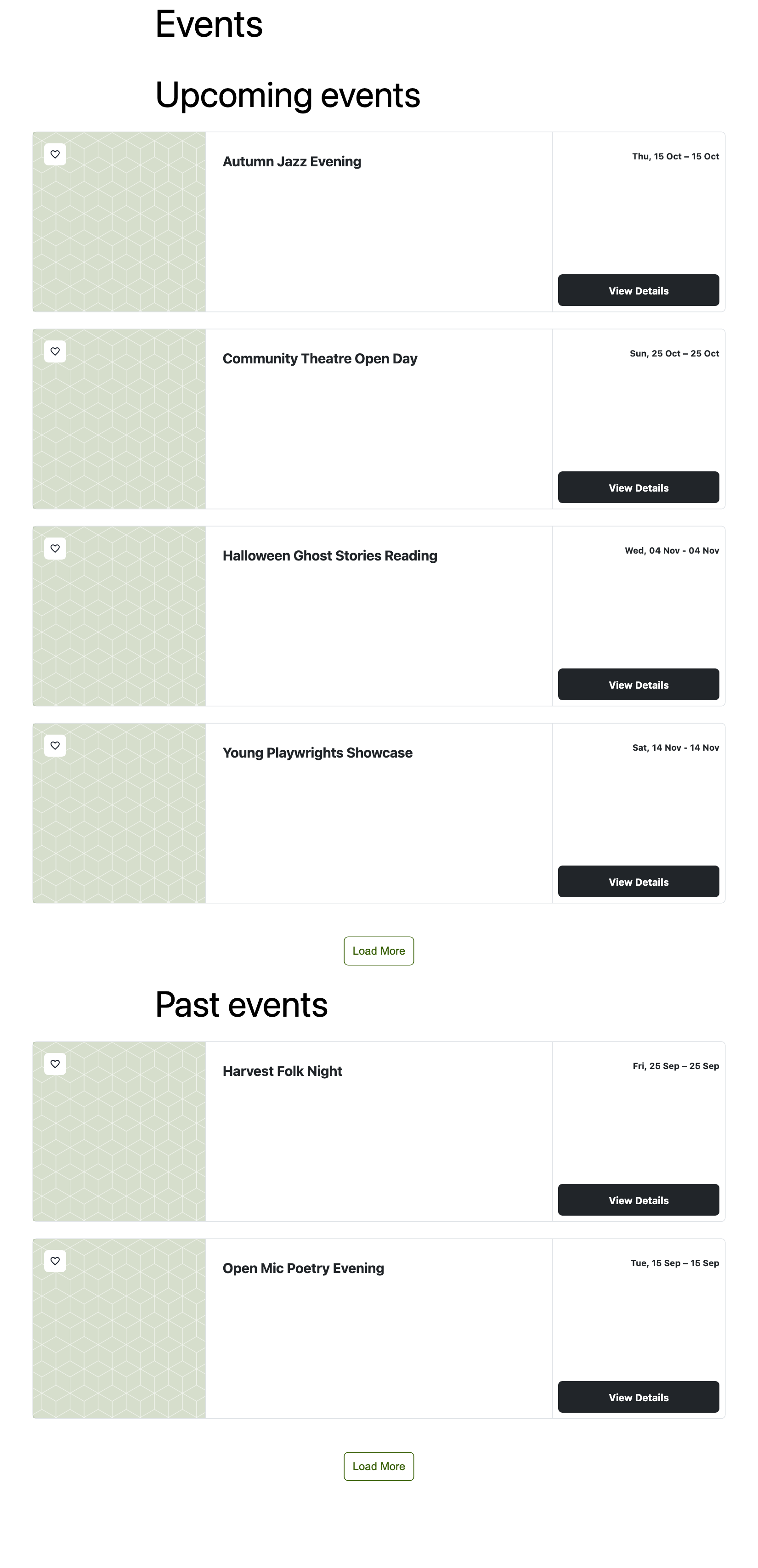
EventPrime 4.3.5.1 fixes the Load More button on event lists. If you show only upcoming events with upcoming="1", every page you load now contains only upcoming events. This also works when one page has more than one events list, for example “Upcoming events” above “Past events”.
Released: October 6, 2026
Type: Maintenance release (bug fix)
Update now: Dashboard > Plugins > EventPrime > Update now
Fixed: Past Events Appearing After “Load More”
A list such as [em_events view="rows" show="10" upcoming="1" order="asc"] showed the right events on the first page, but Load More could add past events to it. This happened when another EventPrime events list on the same page replaced the first list’s settings. The upcoming list then asked for the other list’s events.
Now each Load More button carries the settings of its own list: upcoming, types, sites, order, show and the rest. You can put an upcoming list and a past list on one page, and each one keeps loading its own events.
This bug was reported by @didymos234 on WordPress.org, with a clear example that made it quick to find. Thank you!
Want to set up a page like this? Read How to Show Upcoming and Past Events on One Page in EventPrime.
Tip: the search and filter bar above an events list is designed for one list per page. When you add a second list, hide its filter bar with disable_filter="1".
For Developers
Load More Reads Each List’s Own Attributes
Every Load More button in the events templates now has a data-event_atts attribute with that list’s shortcode attributes as JSON. The button’s id also changes from ep-loadmore-events to ep-loadmore-events-<section_id>, so it’s unique when a page has several lists. The class ep-loadmore-events and the data-section_id attribute are unchanged.
When the button is clicked, ep-frontend-events.js takes the attributes from the first of these that exists:
- the button’s
data-event_atts, window.epEventInstances[ section_id ].event_attributes(printed once per list by the[em_events]shortcode),- the old page-wide
em_front_event_object.event_attributes.
Template overrides: if your theme overrides events-tpl.php, events-view-list-load-tpl.php or events/load_more.php (in your-theme/eventprime/), they keep working through step 2. To match the new templates, add the attribute to your button:
<button class="ep-btn ep-btn-outline-primary ep-loadmore-events"
	id="ep-loadmore-events-<?php echo esc_attr( $args->section_id ); ?>"
	data-section_id="<?php echo esc_attr( $args->section_id ); ?>"
	data-max="<?php echo esc_attr( $args->events->max_num_pages ); ?>"
	data-event_atts="<?php echo esc_attr( wp_json_encode( isset( $args->atts ) && is_array( $args->atts ) ? $args->atts : array() ) ); ?>">
If you style or script the old #ep-loadmore-events ID, switch to the .ep-loadmore-events class.
Helper: ep_get_posted_event_atts()
A method on Eventprime_Basic_Functions. It reads the event_atts JSON posted by the Load More and filter requests (ep_load_more_events, ep_filter_event_data), decodes it, and sanitizes each value with sanitize_text_field().
- Returns:
array, the attributes, or an empty array when nothing valid was posted. - Use it in custom AJAX handlers that extend the events list, so they read the attributes the same way core does.
add_action( 'wp_ajax_nopriv_my_events_extra', 'my_events_extra' );
add_action( 'wp_ajax_my_events_extra', 'my_events_extra' );
function my_events_extra() {
	$atts = ( new Eventprime_Basic_Functions() )->ep_get_posted_event_atts();
	$only_upcoming = isset( $atts['upcoming'] ) && '1' === $atts['upcoming'];
	wp_send_json_success( array( 'only_upcoming' => $only_upcoming ) );
}
Filter Response Includes the List’s Section and Attributes
The ep_filter_event_data AJAX response now also returns section_id and event_atts (the sanitized attributes it used), next to html and paged.
Quality Checks
Every release passes our static-analysis gate before it ships:
- WordPress Plugin Check and WPCS (WordPress Coding Standards): 0 new findings in the code this release changed (8 files, 59 changed lines), compared with the 4.3.5.0 baseline.
- Unit tests: 37 automated tests pass, including 6 new tests for Load More. One of them checks two lists on one page and fails on 4.3.5.0.
- Browser test: two lists on one page, clicked through every Load More page in a real browser.
- Manual smoke tests: passed on the release build before it shipped.
Get EventPrime 4.3.5.1
- Already using EventPrime? Update from Dashboard > Plugins, or download it from WordPress.org.
- New to EventPrime? Try the live demo or see the Starter Guide.
Questions? Contact EventPrime support.
Questions, Support & Custom Solutions
- Need more details or can't find what you're looking for? Let us know how we can help! Contact our support team here.
- Looking for a tailor-made solution to meet your specific needs? Our dedicated customization team is here to help! Use this link to share your requirements with us, and we'll collaborate with you to bring your vision to life.