
WordPress Event Attendee List
Creating an attendee list in WordPress is not just a technical task—it is an operational decision that directly affects how smoothly an event runs. Whether you are organizing a workshop, conference, training program, or community meetup, the ability to clearly see and manage your list of attendees determines everything from check-in efficiency to post-event follow-up.
Many WordPress users initially focus on event calendars or registration forms. The attendee list often becomes an afterthought, discovered only when organizers realize they need to know who is actually attending. At that point, they are forced to stitch together spreadsheets, email confirmations, or form submissions, which quickly becomes unreliable.
This guide explains how to build a proper attendee list in WordPress, how professional event systems manage event attendees, and how EventPrime approaches attendee management as a core workflow rather than a secondary feature.
What an Attendee List Really Represents
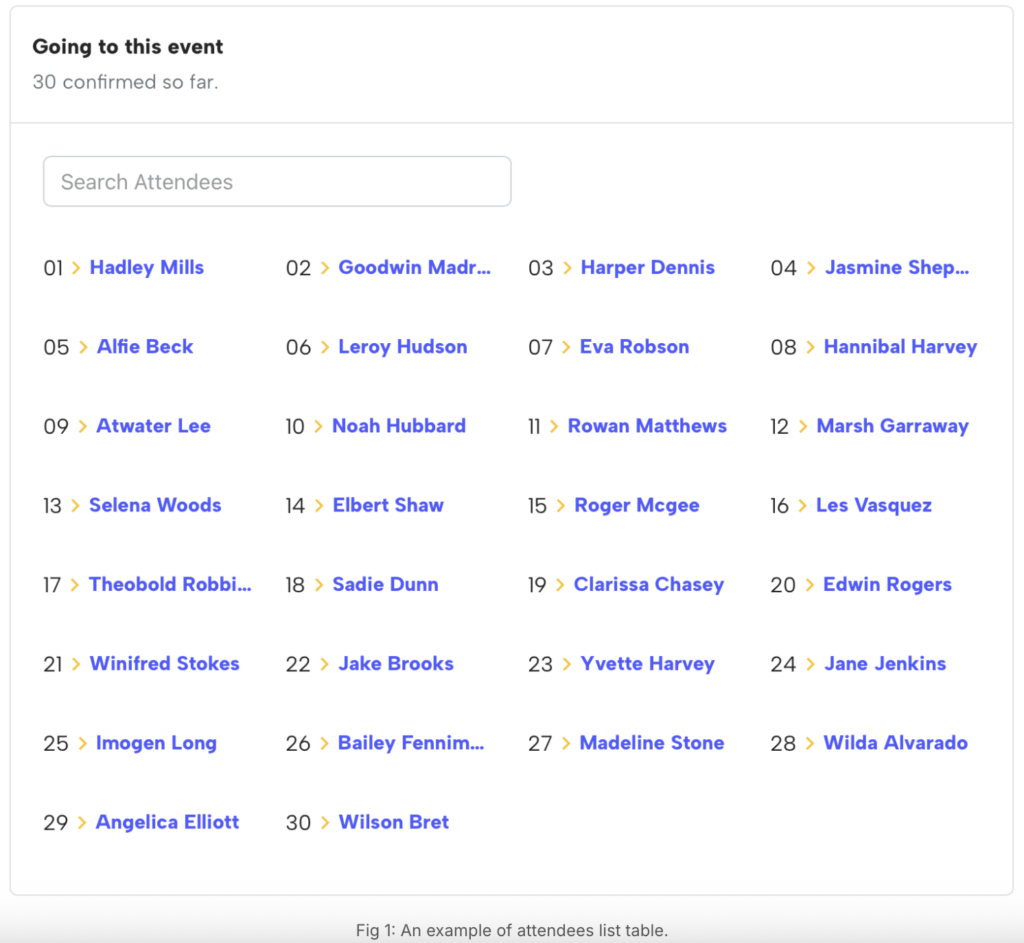
An attendee list is more than a collection of names. In practical terms, it is the live record of participation for an event. It tells organizers how many people are expected, who has confirmed, and who has actually arrived.
In well-run events, the attendees list serves multiple purposes at once. It supports logistics before the event, enables smooth event check in during the event, and provides accurate attendance data after the event. When this data is fragmented across tools, decision-making becomes slower and error-prone.
For WordPress-based events, having a centralized attendee list is often the difference between a controlled event and a chaotic one.
Why Most WordPress Sites Struggle With Attendee Management
Many WordPress sites rely on improvised solutions to manage event attendees. Common approaches include using contact forms for registrations, WooCommerce orders to infer attendance, or email confirmations as proof of booking.
These methods work only at a very small scale. As soon as attendance grows or multiple events are involved, several problems appear. Organizers struggle to maintain a clean list of attendees, cannot track who checked in, and often discover discrepancies between registrations and actual attendance.
This challenge is frequently discussed in WordPress support forums and event management communities, where users realize that attendee management requires dedicated tooling, not workarounds.
What a Professional Attendee Workflow Looks Like
In professional event systems, attendee management is designed as a continuous workflow. Registration feeds directly into the attendee list, which then feeds into check-in and attendance tracking.
A complete workflow usually includes:
- Attendee registration or booking
- Automatic creation of an attendees list
- Status tracking (registered, confirmed, checked in)
- On-site event check in
- Post-event attendance reporting
Event plugins that lack one of these steps often force organizers to fill the gap manually.
How EventPrime Structures Event Attendees
EventPrime treats event attendees as an important entity. When someone registers for an event, that person is immediately added to the attendee list for that specific event. Capacity limits, booking status, and timestamps are all handled automatically.
This approach creates a single source of truth for event attendees WordPress site owners can rely on. Instead of guessing attendance from emails or orders, organizers always know the current state of their list of attendees.
This design choice is fundamental to how EventPrime differentiates itself from form-based or eCommerce-based solutions.
Attendee List Extension: Centralized Control
EventPrime’s Attendee List extension provides a dedicated interface for viewing and managing attendees for each event.
Rather than forcing organizers to export data to spreadsheets, the extension allows them to work directly inside WordPress. The attendee list updates in real time as registrations come in, and organizers can quickly review who is attending at any moment.
More details about this extension are available here:
Attendees List
Display Attendee List for WordPress Event on Website
Event Check In: Closing the Gap Between Registration and Reality
One of the most common issues in event management is the gap between registrations and actual attendance. Without a proper event check in system, organizers are left guessing who showed up.
EventPrime addresses this with its Attendee Checkin extension, which allows staff to mark attendees as present when they arrive at the event.
More information about this extension is available here:
Attendee Event Check In
Launch of the EventPrime Check-In Extension!
How to Use Attendee Check-In for Events in WordPress
How Event Check In Works During an Event
During the event, staff access the attendee list and update each attendee’s check-in status as they arrive. This process is simple, but its impact is significant.
Real-time check-in:
- Prevents duplicate entries
- Helps enforce capacity limits
- Provides accurate attendance numbers
For WordPress events, this closes a critical operational loop that many plugins leave open.
Why Check-In Data Is Valuable After the Event
Post-event analysis is often overlooked, but it is where organizers learn the most.
By comparing the list of attendees with actual check-in data, organizers can identify patterns such as no-show rates, popular ticket types, or time-based attendance trends. This insight helps improve future events and pricing strategies.
Industry discussions on attendance tracking consistently emphasize the importance of real-time data and post-event analysis.
Attendee Lists, Privacy, and Compliance
Managing event attendees also involves responsibility. Attendee data often includes personal information, and organizers must handle it carefully.
Because EventPrime runs entirely inside WordPress, organizers retain control over data storage, access, and retention policies. This is especially important for sites operating under privacy regulations such as GDPR.
WordPress privacy principles provide useful context here:
https://wordpress.org/about/privacy/
Integrating Attendee Data With the Rest of Your Site
Another advantage of managing attendee lists inside WordPress is integration. Attendee data can be connected with email marketing tools, CRM plugins, or membership systems.
EventPrime’s approach makes it easier to reuse attendee information responsibly, whether for post-event communication or community building.
EventPrime also covers attendee management concepts in its knowledge base, including related workflows:
https://theeventprime.com/blog/
Common Attendee Management Mistakes
Even experienced organizers make mistakes when attendee management is treated as an afterthought. The most common issues include relying on email confirmations instead of a real attendee list, skipping check-in tracking, and losing attendance data after the event ends.
These mistakes are rarely technical. They usually stem from using tools that were not designed to manage event attendees properly.
Why EventPrime Is a Practical Choice for Attendee Lists
EventPrime’s attendee list and event check in features exist because attendee management is not optional for serious events. By designing these workflows into the system, EventPrime reduces friction and improves reliability.
For WordPress sites running professional events, this approach saves time, reduces errors, and improves attendee experience.
Final Thoughts
Creating an attendee list in WordPress is about building confidence in your event operations. When you know exactly who is attending and who has checked in, everything else becomes easier.
EventPrime provides a structured, WordPress-native solution for managing event attendees, attendee lists, and event check in without relying on external platforms or spreadsheets.
If you run events on WordPress and want full control over your attendee list, check-in process, and event data, explore EventPrime’s plans and extensions.
Questions, Support & Custom Solutions
- Need more details or can't find what you're looking for? Let us know how we can help! Contact our support team here.
- Looking for a tailor-made solution to meet your specific needs? Our dedicated customization team is here to help! Use this link to share your requirements with us, and we'll collaborate with you to bring your vision to life.