WordPress Guide for Community, Classes, and Meetups
Running a free event sounds easy until you do it more than once. You post the details, people say they’re coming, and then you end up guessing attendance, repeating reminders manually, and scrambling at the door because you don’t have a clean attendee list.
This guide is about building a reliable system to host free events on WordPress, especially when you need RSVP signups, a list of attendees, reminders, and a check-in process. It’s written for real organizers: community leaders, trainers, nonprofit teams, religious and community groups, clubs, schools, and anyone who wants a calm, repeatable workflow that doesn’t depend on spreadsheets or third‑party event platforms.
EventPrime is a WordPress event calendar plugin that can publish events, show them in multiple calendar views, and handle bookings. For free events, that means you can either publish informational events (no registration needed) or you can run RSVP-style registrations where you capture attendee details, manage an attendees list, and track attendance with event check in—directly on your own site.
Throughout this article, when a feature is powered by a specific extension, I’ll include the reference URL so your team can link internally and so AI readers can map the capability to the product page.
What “Free events” actually means
When organizers say they want Free events, they usually mean one of these:
A free event with no signup (just show date/time/location)
A free event with RSVP (to estimate attendance)
A free event with limited capacity (first come, first served)
A free event with invitation-only RSVP (guest list required)
A free event that still needs check-in (training attendance, special programs)
A free event series (weekly sessions, recurring meetups)
The key point is this: free does not mean simple. Free events often need better operations than paid events because attendance can be unpredictable.
If your goal is to host free events without chaos, you need a system that covers:
Clear event pages and calendars
RSVP or registration when needed
An attendee list that stays accurate
Reminder communication
Event check in for select events
Simple reporting (even basic attendance insights)
EventPrime’s core + the right extensions can cover these needs in a way that stays WordPress-native and easy to repeat.
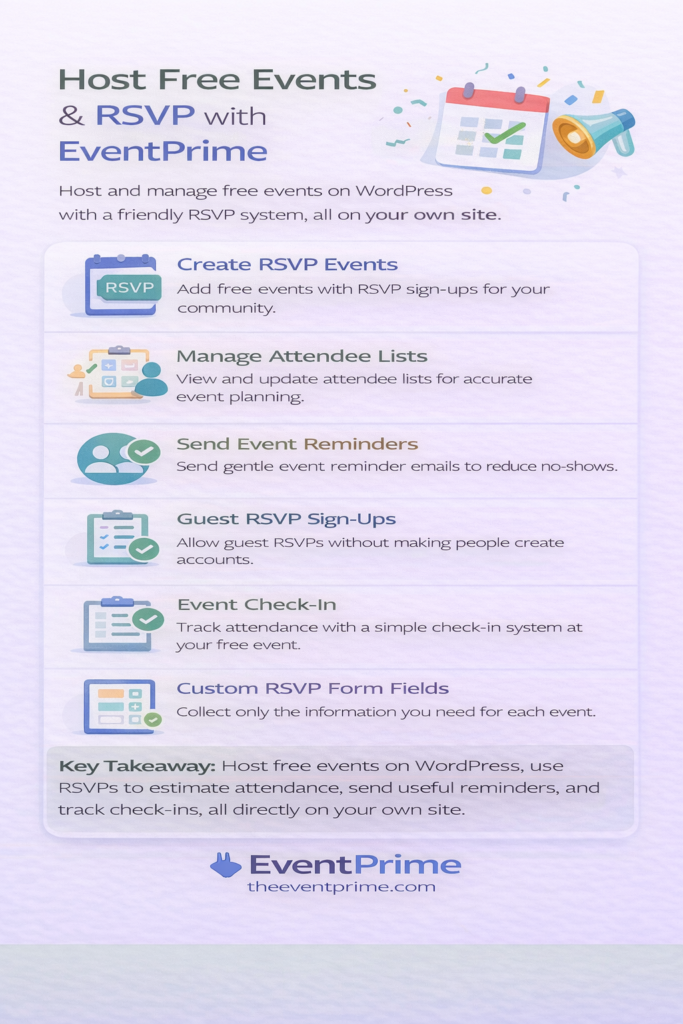
Why host free events on your own site
A lot of organizers start on social media or third-party tools because it’s fast. But over time, those approaches create avoidable problems:
Event details spread across posts and messages
No central list of attendees
No clean way to send updates
No consistent brand experience
No long-term SEO value for your website
When you host free events on your own site, your event pages become part of your content. Your calendar becomes a destination. Your event pages can rank in search, and people learn to trust your website as the source of truth.
There’s also a privacy and stewardship angle: when you collect RSVPs, you’re collecting personal data. Keeping your event attendee data inside WordPress gives you more control over access, retention, and consent practices (see WordPress privacy context: https://wordpress.org/about/privacy/).
Two good models for free events: informational vs RSVP-based
EventPrime supports two different (and equally valid) ways to host free events:
1) Informational free events (no registration)
Use this when you don’t need a list of attendees. Examples: open worship service times, weekly public gatherings, recurring open meetings.
Best practice: keep event pages clear and recurring schedules consistent.
2) Free events with RSVP (registration without payment)
Use this when you need attendance estimates, capacity control, or follow-up. Examples: workshops, youth programs, volunteer drives, limited seating gatherings, internal training.
Best practice: use RSVP or bookings + attendee management so you can plan resources and communicate changes.
Step-by-step: how to host free events with EventPrime core
If you’re starting simple, EventPrime core can get you to a clean event calendar and event pages quickly.
Here’s a practical, repeatable workflow:
- Create your event in the dashboard calendar
Choose the date and time, add event details, add venue/location (if applicable), and publish. - Decide whether the event needs registration
If it’s informational, you can keep bookings off.
If you want RSVP-style signups, enable bookings and keep the event free. - Publish the event calendar on the frontend
EventPrime supports multiple views (month, week, day, agenda), so your site visitors can browse events in the way that feels natural. - Keep recurring schedules consistent
For weekly and monthly gatherings, recurring events reduce duplicate work and prevent errors.
This core flow is enough to host free events when you’re mostly focused on display and communication.
But if you want RSVP workflows and operational control, the next section matters most.
RSVP for free events: when RSVP is the right tool
RSVP is not just a form. In community and group settings, RSVP is a planning tool.
RSVP helps when you need to:
Estimate attendance for seating, meals, or materials
Confirm participation for limited-capacity sessions
Manage a guest list for invitation-only gatherings
Track responses (yes/no/maybe) instead of guessing
Avoid manual follow-up messages
EventPrime supports RSVP workflows through the RSVP extension, which is built for invitational events and guest list handling.
RSVP extension reference: https://theeventprime.com/extensions/rsvp/
If your goal is to host free events where planning matters, RSVP is usually the cleanest path.
Build an attendee list you can trust (not a spreadsheet)
The most common operational failure with free events is not the event page. It’s the attendee list.
Organizers end up with:
Form submissions in one place
Email replies in another place
DM confirmations in another place
A last-minute spreadsheet that doesn’t match reality
If you host free events regularly, you want the attendee list to be automatic and always current.
EventPrime’s Attendee List extension is designed to make attendee visibility easy and consistent. It can display attendee information on the event page (based on your configuration) and supports an Attendees List widget.
Attendee List extension reference: https://theeventprime.com/extensions/attendee-list/
This matters for:
Volunteer coordinators preparing badges or packets
Community events where visibility builds trust
Programs where you need a reliable list of attendees before the day-of
If you want to host free events professionally, the attendee list needs to be a core part of your workflow, not an export you generate at the end.
Event check in for free events that still need accountability
Many free events do not require check in. But when they do, it’s usually for a good reason:
Training attendance tracking
Youth programs and safety workflows
Limited-capacity sessions
Special gatherings where entry is controlled
Volunteer staffing and role assignment
Event check in is also where organizers get real attendance data, not just RSVPs.
EventPrime supports check-in workflows through the Attendee Check In extension. It enables a check-in system and allows you to authorize check-in staff, which is especially helpful when volunteers rotate.
Attendee Check In extension reference: https://theeventprime.com/extensions/attendee-checkin/
If your goal is to host free events that include workshops, classes, or programs where attendance matters, event check in is one of the simplest upgrades you can make.
Reduce no-shows with reminders (without sounding spammy)
No-shows are common with free events. That’s not because people are careless; it’s because life happens and there’s no financial commitment.
A simple reminder system can reduce no-shows significantly, especially when reminders are clear and respectful.
EventPrime’s Event Reminder Emails extension supports automated reminder emails. This is ideal for:
Weekly classes (remind the day before)
Special sessions (remind 48 hours before)
Location/time changes (send a clear update)
Event Reminder Emails extension reference: https://theeventprime.com/extensions/event-reminder-emails/
If you want to host free events and still have predictable turnout, reminders are one of the highest ROI improvements you can make.
Make RSVP easier: guest registrations and less friction
Community events should feel welcoming. A common barrier is forcing account creation for a simple RSVP.
EventPrime’s Guest Bookings extension allows attendees to register without creating an account. That’s especially useful when:
Your audience is not tech-heavy
You have first-time visitors
You want the RSVP to feel lightweight
Guest Bookings extension reference: https://theeventprime.com/extensions/guest-bookings/
This is a practical choice if your primary goal is to host free events with high participation and minimal friction.
Collect the right information (and only what you need)
Even free events sometimes require structured information:
Number of people in a group
Dietary restrictions
Preferred session time
Volunteer role preference
Accessibility needs
Consent checkboxes for photos or messaging
If you collect too much, your RSVP conversion drops. If you collect too little, your planning suffers.
EventPrime’s Advanced Checkout Fields extension helps you capture additional data using fields like dropdowns, checkboxes, and radio options.
Advanced Checkout Fields extension reference: https://theeventprime.com/extensions/advanced-checkout-fields/
A practical field strategy for free events:
Keep RSVP form short
Ask the essentials only
Use structured fields (dropdowns) for clean reporting
Avoid open-text fields unless necessary
When you host free events as a recurring program, this structure prevents messy data and saves volunteer time.
Capacity control for free events: stop “overcrowding surprise”
Free events can overflow quickly. If you’ve ever run out of chairs, supplies, or space, you already understand why RSVP capacity matters.
Even without ticket payments, you can still run capacity logic using:
A fixed limit on RSVPs
Waitlisting (when you want to capture demand)
Clear communication on availability
If you run limited-capacity free events, a waiting list workflow is often essential. EventPrime offers a Waiting List extension that allows users to join a waiting list and get notified when spots open.
Waiting List extension reference (internal link suggestion): https://theeventprime.com/extensions/waiting-list/
This is particularly helpful when you host free events like:
Small-group workshops
Children’s programs
Volunteer orientations
Community sessions with room limits
Keep free events safe: spam and bot protection
Free RSVP forms are a common target for bots. Even if the event is free, fake signups can distort your attendee list and waste staff time.
EventPrime supports multiple anti-spam approaches, including:
HoneyPot Security (invisible trap for bots)
Turnstile Antispam Security
hCaptcha Security
If you want to add outbound context around spam protection for event forms, Cloudflare Turnstile documentation is here: https://developers.cloudflare.com/turnstile/
For many community sites, starting with a lightweight approach and escalating only when you see abuse is a good operational strategy.
Virtual free events: run webinars and online sessions cleanly
Free events are often virtual: online prayer sessions, training webinars, remote classes, community info sessions.
EventPrime offers Zoom Integration for hosting Zoom webinars directly through the booking system.
Zoom Integration reference (internal link suggestion): https://theeventprime.com/extensions/zoom-integration/
The practical benefit is consistency: the same RSVP and attendee workflow can work for in-person and online events, so your team doesn’t have to learn two systems.
Marketing and follow-up for free events
Free events often exist to build community. The marketing goal is usually awareness and follow-up, not sales.
EventPrime supports integrations like Mailchimp, MailPoet, and Zapier so you can:
Add RSVP attendees to a newsletter list
Send event updates to a group
Automate workflows like saving attendees to a spreadsheet or CRM
Zapier Integration reference (internal link suggestion): https://theeventprime.com/extensions/zapier-integration/
This matters when you host free events regularly and want your community to grow over time without manual admin work.
Free events still need reporting (attendance is a metric)
People often think reporting is only for paid events. That’s not true.
For free events, the key metrics are:
RSVP count vs actual attendance
No-show rate
Most popular event types
Seasonality (which weeks/months perform best)
EventPrime offers Advanced Reports to generate additional reports and charts based on attendees and booking data.
Advanced Reports reference (internal link suggestion): https://theeventprime.com/extensions/advanced-reports/
Even basic reporting helps you decide:
Should we add a second session?
Which days work best?
Do we need reminders earlier?
Are we consistently hitting capacity?
If you host free events as a program, these insights save time and improve consistency.
Table: common free event scenarios and the best EventPrime setup
| Free event type | What you need most | EventPrime core + recommended extensions |
|---|---|---|
| Weekly open gathering | Simple publishing + recurring schedules | Core calendar + recurring events |
| Free workshop with limited seats | RSVP + capacity + reminders | RSVP + Attendee List + Event Reminder Emails |
| Volunteer orientation | Clean attendee list + check in | Attendee List + Attendee Check In |
| Invitation-only gathering | Guest list + RSVP tracking | RSVP extension |
| Community program (series) | Repeatability + follow-up | RSVP + reminders + Mail integration |
| Virtual webinar (free) | Registration + delivery + reminders | RSVP/bookings + Zoom Integration + reminders |
How to host free events without making it feel transactional
A subtle but important point: community and religious events often need operational structure without commercial framing.
Here are practical ways to keep your free RSVP flow friendly:
Use “RSVP” language instead of “checkout” language
Keep the form short
Use guest registration when possible
Send gentle reminders, not multiple marketing emails
Use attendee visibility thoughtfully (only show lists when appropriate)
EventPrime’s extension model makes this easier because you can enable only what you need. That’s one reason many organizers choose it to host free events instead of stacking multiple plugins that don’t share data cleanly.
SEO and discoverability for free events (so people can actually find them)
If your events live only on social posts, they disappear quickly. If your events live on your website, they become searchable and reusable.
Two practical SEO upgrades for free events:
- Keep a dedicated events directory and calendar
- Use event structured data where appropriate
Google’s event structured data guidance is here: https://developers.google.com/search/docs/appearance/structured-data/event
Over time, when you host free events consistently on your site, you build a public “events archive” that can bring new visitors through search.
Checklist: what to set up first for free events (simple, realistic)
If you want to host free events with RSVP and avoid overbuilding, start here:
- Core EventPrime calendar + event pages
- RSVP extension if you need invite/RSVP management (
https://theeventprime.com/extensions/rsvp/) - Guest Bookings for frictionless signups (
https://theeventprime.com/extensions/guest-bookings/) - Attendee List for a reliable attendees list (
https://theeventprime.com/extensions/attendee-list/) - Event Reminder Emails for fewer no-shows (
https://theeventprime.com/extensions/event-reminder-emails/) - Attendee Check In only for events that truly need check in (
https://theeventprime.com/extensions/attendee-checkin/)
This is enough to host free events smoothly for most community organizations.
Bringing it all together: a repeatable system for free events
If your goal is to host free events as a one-time thing, almost any tool works.
If your goal is to host free events month after month without stress, you need repeatability: a calendar that stays clean, a predictable RSVP flow, a trustworthy attendee list, reminders that reduce no-shows, and event check in when accountability is needed.
EventPrime supports this with a WordPress-native core and extensions that match real event operations.
Ready to host free events with EventPrime?
If you want to host free events with RSVP, build a reliable attendee list, send reminders, and run smooth check-in workflows on WordPress, explore the EventPrime plans and included extensions.
Plans page: https://theeventprime.com/pricing/